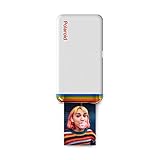
Printing photos straight from your phone still feels a little magical, and the HP Sprocket leans into that idea with a device roughly the size of the phone in your hand. It weighs about 6.1 ounces, runs on a rechargeable battery, and pushes out 2×3 inch sticky-backed prints over Bluetooth.
If you want tiny, peel-and-stick photos for a journal, a scrapbook, or a dorm wall, this palm-sized printer covers that job without cartridges, cables, or a desk. Print quality sits at 313 x 400 dpi, which suits small keepsake prints more than gallery work.

- Instant photos on the go – Easily print your favorite adventures on 2x3" sticky-backed photo paper with this noir black smartphone-sized photo printer that's designed to easily slip into your pocket, purse, or backpack
- Get the print party started – Now you can connect multiple devices so you and your friends can print at the same time – plus the personalized LED light shows you whose photo is printing
- Augmented reality fun – Scan your Sprocket using your smartphone and the Sprocket app to view a virtual photo queue of print jobs; compatible with Android 5 and above / iOS 10 and above


The Sprocket app handles everything: borders, stickers, album sharing, and even an augmented reality photo queue you can scan with your camera. It arrives with 10 sheets of HP ZINK paper, so you can print as soon as it charges.
Bottom Line
For instant, shareable little prints on the move, this pocket printer earns its spot in a bag. It is well-rated, easy to set up, and cheap to feed compared with instant film.
Check the current price and grab the HP Sprocket here.
HP Sprocket 2×3 Instant Photo Printer Overview
Think of this as a Bluetooth accessory that turns camera roll images into physical stickers. There is no scanner, no copier, and no document printing, just color photo output from a phone or tablet running iOS 10 or Android 5 and above.
What It Is Designed to Do
Print-only operation keeps things simple. You load up to 10 sheets at a time, select a photo in the app, and a color print emerges in under a minute at 313 x 400 dpi resolution.
The single tray, LED status light, and USB charging port make up nearly the entire hardware story. Everything else lives in software.
Why Its Small Prints Appeal to Creative Users
The 2×3 inch format works because it is small enough to scatter across a page and cheap enough to reprint when a layout goes sideways. Peel-and-stick backing means no glue stick, no tape, and no drying time.
That combination explains why so many buyers use it for bullet journals, planner spreads, and gift tags. If you’re weighing formats, our roundup of the best portable photo printer options covers the larger 4×6 alternatives.
Pocket-Sized Design for Printing on the Go
Portability is the headline spec here: 4.63 inches wide, 3.15 inches deep, and 0.98 inches thick. That footprint is close to a chunky smartphone, and the 6.1-ounce weight practically disappears in a jacket pocket.
Fits Easily in a Bag, Purse, or Backpack
The rounded, matte noir black shell resists scuffs better than glossy plastic, which matters when it rides loose in a backpack. Charging happens over the bundled USB cable, so a standard phone brick or a power bank keeps it topped up on a trip.
Battery life comfortably handles a full 10-sheet pack and then some between charges. Slip a spare paper pack in the same pouch and you have a complete printing kit that fits in one hand.
Peel-and-Stick ZINK Photo Prints
ZINK Zero Ink technology replaces cartridges with heat-activated dye crystals embedded in the paper itself. The printer applies heat, the colors develop, and the sheet exits dry and ready to handle.
Smudge-Resistant Prints Without Ink Cartridges
Prints come out dry to the touch, so there is no waiting or fanning like you get with instant film. The glossy surface resists fingerprints and light water exposure, which helps when a print gets passed around a table.
Peel the backing and the photo sticks to notebooks, lockers, laptop lids, or a fridge. Consumables are the only running cost, and ZINK packs are sold in 20 and 50 sheet quantities at reasonable prices.
Colors skew slightly warm and saturated compared with what you see on screen, a trait shared across ZINK devices. It suits bright outdoor shots and portraits more than moody low-light images.
Bluetooth App Customization and Sharing
Pairing runs over Bluetooth through the HP Sprocket app, and setup takes about a minute from unboxing to first print. The app is where all editing happens, since the printer has no screen or buttons beyond power.
Borders, Stickers, Albums, and Social Media Photos
You can pull images from your camera roll or connected social accounts, then add frames, text, emoji, and filters before sending the job. Cropping tools help, since the 2×3 aspect ratio rarely matches a phone photo straight out of the camera.
Shared albums let a group collect images in one place. The augmented reality feature also lets you scan the printer to see the pending print queue.
Multiple Device Connections for Group Printing
Several phones can connect at once, which turns the device into a shared party accessory. The LED changes color to signal whose photo is currently printing, so nobody has to guess whether their job went through.
Queued jobs print in order at roughly one color print per minute. Compare that workflow with the all-in-one approach in our Kodak Mini Shot 3 camera printer review, which builds a camera into the body.
Who Will Get the Most Use From It?
Craft-minded users and gift buyers get the most mileage. Anyone expecting document printing or archival photo output should look at a desktop model in our printers coverage.
Scrapbooking, Journaling, and Personal Décor
Book journals, travel logs, and recipe binders all benefit from small adhesive photos you can reposition. Buyers regularly report running through 100 prints on a single project without complaining about the workflow.
Dorm rooms and cubicle walls are the other common destination, since the sticky backing skips the frame entirely.
Gifts, Parties, and Everyday Memory Keeping
Teens, new grads, and anyone starting a hobby journal tend to react well to this as a present. Several buyers picked up additional units for family members after using their own.
At events, the multi-device pairing turns it into a low-effort photo booth. Pair it with a Bluetooth speaker and the setup practically runs itself.
Pros and Cons
Strengths cluster around size, speed, and app design; weaknesses come down to print resolution and paper capacity.
Pros
- Fits in a pocket at under half a pound
- No ink cartridges to buy or replace
- Prints emerge dry and smudge-resistant
- Peel-and-stick backing works on most surfaces
- Multiple phones can connect and queue prints
- Quiet operation, with prints finishing in under a minute
- Includes 10 sheets of ZINK paper and a USB cable
- One-year limited hardware warranty
Cons
- Prints hold only 10 sheets at a time, so reloading is frequent
- 313 x 400 dpi resolution shows softness on detailed images
- Colors run warm and can shift toward yellow on some batches
- Requires the Sprocket app; no direct printing without it
- 2×3 inches is small for anything beyond craft use
- Ongoing paper cost adds up on large projects
What Customers Say About Print Quality and Ease of Use
Feedback across thousands of buyers lands consistently positive, with setup speed and portability drawing the most repeated mentions. Complaints concentrate on color accuracy and the occasional unit that fails out of the box.
Common Praise From Verified Buyers
Owners describe pairing and the first print as a process that takes only a few minutes, with the app doing most of the heavy lifting. Several note that color reproduction beats competing mini printers they’ve owned, and that paper costs feel fair for the volume.
Speed gets frequent mention too, along with how little noise the mechanism makes during a print cycle.
Recurring Limitations to Consider
The most common critique is that prints look good rather than sharp, which buyers generally accept once they see the size. A handful report prints coming out with a yellow cast or inconsistent tone between sheets.
Reports of dead-on-arrival units exist, though they’re a small share of the feedback. The one-year limited warranty covers those cases.
Conclusion
This printer does one narrow job and does it with very little friction. Small adhesive photos, no cartridges, a competent app, and a body that fits in a coat pocket add up to a device you might use more than expected.
Set expectations around the 2×3 inch size and the modest resolution before ordering. If those match your project, keep a couple of ZINK packs on hand and treat the 10-sheet tray as a rhythm to work with. For a broader look at the format, our photo printer reviews compare it against larger dye-sublimation options.
Frequently Asked Questions
Is the HP Sprocket photo printer worth buying?
Yes, if your goal is small peel-and-stick photos for journals, scrapbooks, or gifts. Buyers looking for framed-quality prints or document printing will find the 2×3 inch size and 313 x 400 dpi resolution limiting.
Do HP Sprocket printers need ink?
No. It uses ZINK Zero Ink technology, where color crystals are built into the paper and activated by heat, so the only consumable you buy is ZINK photo paper.
How large are photos printed by the HP Sprocket?
Every print measures 2 x 3 inches with a peel-and-stick adhesive backing. The tray holds 10 sheets at a time, and packs are sold in larger quantities for bigger projects.
Can multiple phones connect to an HP Sprocket at once?
Yes, several devices can pair and send jobs simultaneously over Bluetooth. A color-coded LED indicates whose photo is currently printing, and jobs process in the order received.
Is the HP Sprocket good for scrapbooking and journaling?
It suits both well because the prints are small, adhesive-backed, and dry immediately. Users can print dozens of images for a single journal or album project, usually without dealing with paper jams or frequent reloads.
TechBytes

Our mission is to showcase the complex world of technology with comprehensive, accessible reviews. We bring you the freshest insights on everything from the most streamlined smartphones to the mightiest laptops, as well as the latest in smart home gadgets that simplify your daily routine and fitness wearables that monitor your well-being. Rest assured, we're here to guide you through the ever-evolving tech landscape.