
Handheld gaming devices ship with just enough storage to install a few modern titles before you start uninstalling things. The WD_BLACK SN770M targets that exact frustration with a 2TB M.2 2230 drive built for Steam Deck, ROG Ally, and compact laptops that use the same tiny form factor.
In this WD_Black SN770M 2TB SSD review, the standout is the combination of PCIe Gen 4.0 speeds up to 5,150 MB/s and a full 2TB of TLC 3D NAND squeezed into a card roughly the size of a thumb joint. That pairing was rare in the 2230 category when this drive launched, and it still holds up against newer competition.
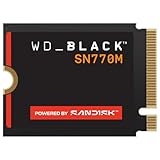
- Introducing the WD_BLACK SN770M SSD, the first M.2 2230 NVMe SSD built from a brand gamers trust.
- Upgrade compatible handheld devices such as the ASUS ROG Ally and Steam Deck with speeds up to 5,150 MB/s (1TB and 2TB models) for blazingly quick game installations and level loads.
- Take your large game library wherever you are with up to 2TB of trusted Western Digital TLC NAND storage.

Western Digital layers in nCache 4.0 write caching and DirectStorage support, so the drive is tuned for game asset streaming as much as raw sequential throughput. Buyers upgrading a Surface tablet or a Dell ultraportable get the same benefit from the shorter card length.
Bottom Line
For handheld owners who want to stop juggling installs, the SN770M delivers Gen 4 speed and serious capacity in a 2230 package that drops into most compatible devices without adapters.
Check current availability and pricing on Amazon
WD_BLACK SN770M 2TB Overview
This is a DRAM-less, single-sided NVMe drive in the compact M.2 2230 format, weighing about 3 grams and running on the PCIe Gen 4.0 x4 interface. Model number WDS200T3X0G covers the 2TB version.
Storage uses Western Digital TLC 3D NAND, with nCache 4.0 handling burst writes through an SLC cache layer. Rated sequential performance reaches 5,150 MB/s read and 4,850 MB/s write on the 1TB and 2TB capacities.
Microsoft DirectStorage support is included, which matters for newer PC titles that decompress assets on the GPU. The drive sits well within the gaming SSD category on Amazon and carries strong ratings from buyers who upgraded handhelds and tablets.
PCIe Gen 4 Speed for Faster Game Loads
Sequential reads up to 5,150 MB/s put this drive in a different class from the Gen 3 modules that shipped in early Steam Deck units. Large game installs and patch operations finish noticeably quicker, and level transitions in open-world titles tighten up.
Write speeds rated at 4,850 MB/s make moving a 100GB library from an external drive far less painful. The nCache 4.0 SLC buffer absorbs those bursts before folding data into TLC.
Handhelds throttle before a desktop would, so real-world numbers land under the rated peaks. Even so, the gap over stock 2230 drives is easy to feel during shader compilation and asset streaming.
Anyone comparing options across form factors can weigh it against a full-size performer like the WD_BLACK SN850X 2TB NVMe SSD.
2TB Capacity for a Bigger Portable Library
Two terabytes changes how you use a handheld. Modern AAA installs regularly clear 100GB, and a 512GB stock drive holds four of them at best once the OS takes its share.
At 2TB, a Steam Deck or ROG Ally can carry a rotating library plus emulation collections without constant uninstalls. Shader caches and Proton compatibility layers also consume space that most owners underestimate.
TLC NAND rather than QLC helps here: sustained write performance stays more consistent as the drive fills. Owners weighing capacity against price often find the 1TB model the value pick, though the 2TB removes the management chore entirely.
Broader options are covered in our roundup of the best SSD for Steam Deck.
M.2 2230 Fit for Steam Deck, ROG Ally, and Surface Devices
Physical dimensions are the whole story with 2230 upgrades: 30mm long, single-sided, and thin enough to slide back under the original shielding. Steam Deck owners report the drive drops into the stock slot with the factory shroud reusable without tearing it.
The ASUS ROG Ally uses the same slot, and Western Digital lists both handhelds as validated platforms. Several Microsoft Surface models and Dell laptops also use 2230 cards, though compatibility varies by generation.
Verify your exact model before ordering. At least one buyer found the drive incompatible with a Surface Pro 7+ despite prior research, which is a reminder that Surface support is model-specific.
Alternatives in adjacent sizes, like the Inland M.2 2242 1TB NVMe SSD, fit different chassis entirely.
Installation, Cloning, and Firmware Considerations
Swapping the drive takes a small Phillips or Torx driver and about fifteen minutes on most handhelds. Western Digital’s official cloning utility handles migration when the SN770M is connected through a USB M.2 enclosure.
Owners who cloned their ROG Ally system drive that way report the process completing without reinstalling SteamOS or Windows from scratch. A separate USB adapter is the main extra purchase.
What should buyers check before installing the drive?
Confirm your device uses M.2 2230 and not 2242 or 2280, since the longer formats will not seat in a 2230 slot. Check whether your handheld has a thermal pad or shield that needs transferring.
Have a USB-to-M.2 enclosure ready if you plan to clone rather than reinstall. Some ROG Ally owners add a small heatsink or thermal pad during the swap for better sustained performance under load.
Why firmware updates may matter for some Surface devices
Certain Surface models exhibited restart and stability issues with the SN770M until the drive firmware was updated. Buyers who applied the update through Western Digital’s dashboard software before daily use reported those symptoms disappearing.
Run the firmware check first if you are installing into a Surface Pro. One owner discovered the problem only after the return window closed, which is avoidable with an update on day one.
Pros and Cons
| Category | Details |
|---|---|
| Interface | PCIe Gen 4.0 x4, NVMe |
| Rated read / write | 5,150 MB/s / 4,850 MB/s |
| NAND | TLC 3D NAND with nCache 4.0 |
| Form factor | M.2 2230, single-sided |
Pros
- Full 2TB capacity in a 2230 card, still uncommon in this size
- Gen 4 speeds well above stock handheld drives
- TLC NAND instead of QLC for steadier sustained writes
- Validated for Steam Deck and ROG Ally, with reusable factory shielding
- DirectStorage support for compatible PC titles
Cons
- DRAM-less design trails premium full-size drives in heavy multitasking
- Surface compatibility varies by model and generation
- Firmware update may be required for stable Surface operation
- Cloning requires a separate USB M.2 enclosure
What Customer Reviews Reveal
Buyer feedback skews strongly positive, with handheld upgrades dominating the comments. ROG Ally owners describe the drive as the fix for base-model storage limits, and Steam Deck users confirm a 1:1 physical fit including the original heat shield.
Surface owners are more mixed. Several report excellent results after applying the firmware update, while one buyer’s Surface Pro 7+ was outright incompatible and another hit random restarts that only stopped after swapping the drive.
International reviewers mention straightforward cloning through Western Digital’s software after connecting the drive over USB. Multiple buyers note surprise at the card’s physical size, roughly a thumb joint, before praising the performance.
Conclusion
The SN770M earns its place as a handheld upgrade because it solves two problems at once: the 2230 size constraint and the capacity ceiling. Gen 4 throughput is a bonus that pays off during installs and asset streaming more than in benchmark screenshots.
Steam Deck and ROG Ally owners face the least risk here, since both are validated platforms with confirmed physical fit. Surface buyers should verify their specific model supports 2230 cards and update firmware before putting the machine into daily service.
If you need more storage in a desktop or full-size laptop instead, a 2280 drive gives you more options for the money. Readers comparing across categories can browse our other NVMe SSD coverage before deciding.
Frequently Asked Questions
Is the WD_BLACK SN770M 2TB compatible with the Steam Deck?
Yes, the drive fits the Steam Deck’s M.2 2230 slot as a direct replacement. Owners confirm the original protective shroud transfers over without damage, and Western Digital lists the Valve Steam Deck among supported devices.
Does the WD_BLACK SN770M work in the ASUS ROG Ally?
The ROG Ally is a validated platform for this drive, including the RC71L model. Owners who cloned the stock drive using Western Digital’s software report the upgrade completing without reinstalling the operating system.
Is the WD_BLACK SN770M 2TB a good upgrade for Microsoft Surface devices?
It works in many Surface models that use M.2 2230 storage, but compatibility depends on the specific generation. Apply the latest drive firmware before regular use, since some Surface owners encountered restart issues that the update resolved.
How fast is the WD_BLACK SN770M 2TB SSD?
Rated sequential performance reaches 5,150 MB/s read and 4,850 MB/s write over PCIe Gen 4.0 x4. Handheld thermal limits mean sustained real-world figures come in below those peaks, though still well ahead of stock Gen 3 drives.
Is the WD_BLACK SN770M a reliable SSD for gaming?
Buyer feedback points to solid reliability, with TLC 3D NAND and nCache 4.0 helping maintain consistent write performance. The main caveat is Surface-specific firmware issues, though Western Digital has published a fix through its dashboard utility.
TechBytes

Our mission is to showcase the complex world of technology with comprehensive, accessible reviews. We bring you the freshest insights on everything from the most streamlined smartphones to the mightiest laptops, as well as the latest in smart home gadgets that simplify your daily routine and fitness wearables that monitor your well-being. Rest assured, we're here to guide you through the ever-evolving tech landscape.
