
Filling a NAS with drives that spin around the clock means paying attention to specifications most desktop hard drives never advertise: workload rating, vibration compensation, and recording method. The Toshiba N300 8TB NAS hard drive review checklist covers all three, and it lands in familiar territory against WD Red Plus and Seagate IronWolf models at the same capacity.
The N300 8TB pairs a 7200 RPM spindle with 512 MB of cache, a 180 TB/year workload rating, and conventional magnetic recording, making it suitable for RAID arrays in enclosures with up to eight bays.
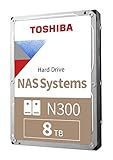
- Built for small office and home office NAS
- Designed for 24/7 operation(9)
- High reliability with up to 180TB/year workload rating(6)

Rotational vibration sensors, a 3-year limited warranty, and a SATA 6 Gb/s interface round out a package aimed squarely at home labs, media servers, and small business file shares.
Bottom Line
If you need a dependable 8TB drive for a multi-bay NAS that runs continuously, the N300 covers the fundamentals without asking for enterprise pricing.
Check current availability and pricing for the Toshiba N300 8TB on Amazon.
Toshiba N300 8TB NAS 3.5-Inch Internal Hard Drive Overview
This is a 3.5-inch mechanical drive built around a SATA 6 Gb/s interface, spinning at 7200 RPM with 512 MB of cache and a rated sustained read speed of roughly 253 MB/s.
| Specification | Detail |
|---|---|
| Capacity | 8 TB |
| Form factor | 3.5-inch |
| Interface | SATA 6 Gb/s |
| Spindle speed | 7200 RPM |
| Cache | 512 MB |
| Workload rating | Up to 180 TB/year |
| Drive bays supported | Up to 8 |
| Warranty | 3-year limited |
| Weight | 1.6 lbs |
Toshiba positions the line for personal, home office, and small business storage. The metal enclosure and Native Command Queuing support are standard fare for this class, and the model number to look for is HDWG780XZSTA.
Built for 24/7 NAS Workloads
Continuous operation is the defining design target here, and the 180 TB/year workload rating is the number that separates it from desktop-class drives, which commonly cap out around 55 TB/year.
That figure counts every byte written, read, or verified by host commands over twelve months. For a home media server or a small workgroup share, hitting that ceiling takes deliberate effort.
Support for up to eight drive bays matters if you’re populating a larger chassis where heat and vibration accumulate. Owners running these in QNAP TS-264 desktop NAS enclosures and Synology units report stable long-term operation.
7200 RPM Performance and 512 MB Cache
Sequential throughput reaches about 253 MB/s, which is competitive for an 8TB drive and comfortably saturates a gigabit network link several times over.
The 512 MB cache is double what many rival NAS drives at this capacity carry. It helps smooth burst writes and small random requests during parity rebuilds or scheduled scrubs.
The 7200 RPM spindle also improves seek latency compared with 5400-class NAS drives. If your array feeds multiple simultaneous 4K streams or hosts virtual machine images, that difference shows up. Larger capacity alternatives like the Seagate IronWolf Pro 16TB and the WD Red Pro 14TB run at the same spindle speed.
CMR Recording for RAID and File Storage
Conventional magnetic recording means tracks are written without overlapping, so random writes complete at a consistent speed rather than slowing dramatically once an internal cache fills.
This is the practical reason CMR is preferred for RAID. Shingled drives can stall badly during array rebuilds, sometimes long enough for a NAS controller to drop them.
With CMR, a degraded array rebuilds predictably. The same benefit applies to ZFS pools, Synology SHR volumes, and Windows Storage Spaces desktop RAID setups, where write performance stays steady under sustained load.
Rotational Vibration Sensors for Multi-Bay NAS Systems
Integrated RV sensors detect vibration from neighboring drives and adjust head positioning in real time to keep reads and writes on track.
In a four-bay or eight-bay chassis, seven other spindles may be generating vibration that a single-drive desktop unit never encounters. Without compensation, heads miss tracks, retries pile up, and throughput drops.
Owners populating TerraMaster F4-424 Pro NAS units and similar four-bay enclosures benefit most from this feature. For a two-bay box like the Synology DS224+, the effect is smaller but still present.
Pros and Cons
Pros
- 180 TB/year workload rating supports demanding continuous operation
- 512 MB cache is larger than most competing 8TB NAS drives
- CMR recording keeps RAID rebuilds and sustained writes predictable
- RV sensors handle vibration in multi-bay chassis
- Runs cooler than several rival drives according to owner feedback
- 7200 RPM spindle delivers around 253 MB/s sequential reads
Cons
- Spin-up is slower than some owners expect
- Audible seek chatter during heavy activity, typical of 7200 RPM drives
- 3-year warranty trails the 5-year coverage on pro-tier competitors
- 8 TB may feel limiting next to 14 TB and 20 TB options
What Do Customer Reviews Say?
Owner sentiment skews positive, with reliability and thermals drawing the most consistent praise. Several buyers running these in QNAP and Synology enclosures noted lower operating temperatures than the WD Red drives they replaced.
Noise comes up repeatedly, and opinions split. Multiple owners describe them as quieter than the Seagate drives they swapped out, while others mention audible clatter during activity and a slow spin-up.
Longevity reports look encouraging. One reviewer has run five drives in a RAID10 set with a warm spare for over a year on Linux Mint without incident. Another has kept a pair running in a Synology DS723+ since late 2023.
Buyers purchasing in quantity, six units in one case, reported consistent behavior across the batch. TerraMaster and self-built NAS owners echoed that, with performance matching prior drives at lower noise levels.
Conclusion
The N300 8TB earns its place in a home or small business NAS through the combination of CMR recording, a 180 TB/year workload allowance, and vibration sensors that keep multi-bay arrays stable.
Its 512 MB cache and 7200 RPM spindle put it ahead of slower 5400-class NAS drives on throughput, and owner reports on cooling are consistently favorable. The 3-year warranty is the one spec where competitors like the WD Red Pro line pull ahead with five years of coverage.
Buy it if you’re filling a two-bay to eight-bay enclosure and want proven CMR media at a sensible capacity. If your array already runs 14 TB or larger disks, look at the Seagate Exos X20 20TB or a comparable high-capacity model to keep bay counts down. More storage coverage is available in our tech product reviews section.
Check the current listing for the Toshiba N300 8TB on Amazon.
Frequently Asked Questions
Is the Toshiba N300 8TB good for NAS?
Yes, it’s purpose-built for NAS duty with a 180 TB/year workload rating, 24/7 operation design, and support for enclosures holding up to eight drives. Home labs, media servers, and small business file shares fall well within its intended range.
Is the Toshiba N300 8TB a CMR drive?
Yes, the N300 8TB uses conventional magnetic recording. That keeps random write performance consistent and avoids the rebuild stalls that shingled drives can trigger in RAID arrays.
How loud is the Toshiba N300 8TB hard drive?
It produces audible seek noise during active reads and writes, which is normal for a 7200 RPM drive. Owner reports are mixed: some find it quieter than the Seagate drives they replaced, while others describe noticeable chatter and a slow spin-up at power-on.
Can I use the Toshiba N300 8TB in a Synology or QNAP NAS?
Yes, owners run these successfully in Synology and QNAP units, including the DS723+ and various QNAP models. Check your NAS maker’s compatibility list for your specific model before buying, since validation varies by chassis.
How long can an 8TB NAS hard drive last?
Service life depends on workload and operating conditions. Many NAS drives run for three to five years, or longer, under moderate use.
Keep annual data throughput under the 180 TB rating, maintain good airflow, and run scheduled SMART tests to catch degradation early.
TechBytes

Our mission is to showcase the complex world of technology with comprehensive, accessible reviews. We bring you the freshest insights on everything from the most streamlined smartphones to the mightiest laptops, as well as the latest in smart home gadgets that simplify your daily routine and fitness wearables that monitor your well-being. Rest assured, we're here to guide you through the ever-evolving tech landscape.
