
Shopping for a budget 15-inch Windows machine usually means choosing between a fast drive, decent memory, or a touchscreen. The Lenovo IdeaPad 3i gets all three into one chassis, which is why it keeps showing up on shortlists for students, home offices, and anyone replacing an aging Chromebook.
This configuration pairs an 11th Gen Intel Core i3-1115G4 with 12GB of DDR4 memory and a 256GB PCIe NVMe SSD, running Windows 11 Home on a 15.6-inch HD touch panel. That memory allocation is the standout detail: most laptops at this price ship with 8GB, and the extra 4GB keeps browser tabs and Office documents from choking the system.
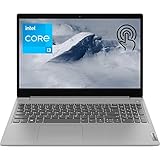
- 【High Speed RAM And Enormous Space】12GB DDR4 RAM to smoothly run multiple applications and browser tabs all at once; 256GB PCIe M.2 Solid State Drive allows to fast bootup and data transfer
- 【Processor】Intel Core i3-1115G4 3.00 GHz 2 Cores Processor (6MB Cache, up to 4.10 GHz), Intel UHD Graphics
- 【Dazzling Display】15.6" HD touchscreen display with narrow bezels

The trade-offs are visible on the spec sheet. Resolution stops at 1366 x 768, graphics are integrated Intel UHD, and there is no USB-C port.
For email, coursework, streaming, and light spreadsheet work, none of that gets in the way.
Bottom Line
If you need a straightforward Windows laptop with a touchscreen, generous RAM, and an SSD without stretching your budget, this IdeaPad earns its spot.
Check current availability and pricing on Amazon
Lenovo IdeaPad 3i Laptop Overview
Built around a Tiger Lake i3 and a 41Wh battery, this 2021-model notebook weighs 4.07 pounds and measures 0.78 inches thick.
| Specification | Detail |
|---|---|
| Processor | Intel Core i3-1115G4, 2 cores / 4 threads, up to 4.10 GHz |
| Memory | 12GB DDR4 (single slot) |
| Storage | 256GB PCIe NVMe M.2 SSD |
| Display | 15.6″ HD touchscreen, 1366 x 768, glossy |
| Graphics | Intel UHD (integrated) |
| OS | Windows 11 Home 64-bit |
| Weight | 4.07 lbs |
The Platinum Grey shell keeps things understated, and narrow side bezels make the footprint smaller than older 15-inch designs.
If you want a broader look at similar options, our roundup of the best budget laptop for students covers comparable picks.
Intel Core i3 Performance for Everyday Work
Two cores and four threads handle document editing, video calls, and a dozen browser tabs without stalling, though heavier multitasking will eventually show the limits.
The i3-1115G4 runs at a 3.00 GHz base and boosts to 4.10 GHz, which gives it enough single-thread speed to feel responsive when opening apps or loading web pages. Turbo behavior on thin chassis is short-lived, so sustained loads settle lower.
Photo editing in Lightroom, 4K video export, and modern gaming are outside this machine’s range. Intel UHD Graphics handles 1080p streaming and casual titles at low settings.
For anyone whose workload leans heavier, a step up to something like the Lenovo ThinkPad E14 Gen 5 makes more sense.
12GB RAM and 256GB SSD Storage
Twelve gigabytes of DDR4 is the most practical upgrade Lenovo made to this configuration, giving Windows 11 comfortable headroom for background processes and Chrome.
One important caveat: the memory sits in a single accessible slot alongside soldered RAM, so upgrade paths are limited. Plan around 12GB being the working ceiling.
The 256GB PCIe NVMe SSD boots Windows in seconds and copies files far faster than any hard drive. Storage fills up quickly once you add photos, downloads, and a few large applications.
An SD card reader helps, and an external drive such as the Samsung T7 Touch portable SSD covers media libraries cleanly.
15.6-Inch HD Touchscreen Experience
Touch input on a 15.6-inch panel works well for scrolling, pinch-zoom, and tapping through Windows 11 menus, and it costs nothing in thickness or weight here.
The catch is resolution. At 1366 x 768, text looks noticeably softer than on a 1080p panel, and you see less of a spreadsheet or webpage at once. Scaling in Windows helps readability but doesn’t add screen real estate.
The glossy finish picks up reflections under overhead lighting. Brightness is adequate indoors and struggles near windows.
Anyone comparing touch panels at this size may also want to look at the HP Pavilion 15.6″ HD touchscreen laptop, which occupies similar territory.
Connectivity, Webcam Privacy, and Wireless Features
Port selection here is conventional Type-A, with two SuperSpeed USB ports, one USB 2.0, HDMI output, a headphone/mic combo jack, and an SD card reader.
There is no USB-C, which means no single-cable docking and no charging over USB. The HDMI port drives one external monitor, useful if you pair it with a larger display for desk work.
Wi-Fi 6 2×2 and Bluetooth 5.1 keep wireless current, and the 802.11ax radio makes a real difference on a busy home network.
The webcam includes a physical privacy shutter and dual array microphones, so you can block the lens without tape. Video quality is standard 720p fare, and a dedicated external webcam sharpens calls if you present often.
Who Should Buy This Laptop?
Students, remote workers with light workloads, and anyone stepping up from a Chromebook to full Windows get the most out of this machine.
It suits coursework, email, video calls, streaming, and browser-based tools. Households wanting a shared family laptop for homework and Netflix will find the touchscreen and screen size useful.
Skip it if you edit video, run virtual machines, game, or work in large datasets. Programmers and designers should budget for more cores and a 1080p display.
Frequent travelers may find 4.07 pounds heavier than ideal; our travel laptop coverage highlights lighter alternatives.
Pros and Cons
Pros
- 12GB of RAM exceeds the 8GB standard at this price point
- Fast PCIe NVMe SSD for quick boots and file transfers
- Touchscreen included without a price premium over non-touch rivals
- Wi-Fi 6 and Bluetooth 5.1 keep wireless connectivity modern
- Physical webcam privacy shutter built in
- Full-size keyboard with numeric pad and SD card reader
Cons
- 1366 x 768 resolution limits screen clarity and workspace
- Dual-core i3 struggles with heavy multitasking or creative software
- No USB-C port anywhere on the chassis
- Glossy display reflects overhead light
- 256GB of storage fills quickly
- 41Wh battery and 4.07-pound weight are middling for the class
What Do Customer Reviews Reveal?
Owner feedback clusters around two themes: satisfaction with everyday performance and scattered reports of hardware failures within the first months.
Several buyers describe the machine as easy to set up and well suited to light work, with the touchscreen and 15.6-inch size called out as the reasons for choosing it over a Chromebook. Repeat purchasers mention using it for business tasks.
Complaints surface too. A few owners experienced blank screens or units that stopped working after a month or two, and multiple reviewers praised Lenovo’s service center for handling repairs quickly under warranty.
One buyer received a unit without the advertised touch panel, so verify the configuration on arrival. Others noted lengthy first-boot Windows and BIOS updates. Setting aside time on day one avoids frustration.
Conclusion
This IdeaPad delivers a workable Windows 11 experience at a budget price, with the 12GB memory allocation and NVMe SSD doing the heavy lifting.
Accept the HD resolution and the dual-core ceiling, and you get a touchscreen laptop that handles coursework, browsing, and office documents reliably. Push into creative software or gaming and you will feel the constraints immediately.
Confirm the touchscreen and RAM configuration when your unit arrives, run the pending Windows and BIOS updates before your first real work session, and register the warranty. Browse more laptops if you want to compare specs before deciding.
Frequently Asked Questions
Is the Lenovo IdeaPad 3i good for everyday use?
Yes, it handles web browsing, streaming, video calls, and Office documents without difficulty. The 12GB of RAM and NVMe SSD keep Windows 11 responsive for these tasks, though heavier creative applications will run slowly on the dual-core i3.
Does this Lenovo IdeaPad 3i configuration have a touchscreen?
This listing specifies a 15.6-inch HD capacitive touchscreen. At least one buyer reported receiving a non-touch unit, so test touch input as soon as the laptop arrives and start a return immediately if the panel does not respond.
Is 12GB of RAM enough for school and office work?
Twelve gigabytes covers school and office workloads comfortably, including a large number of browser tabs alongside Word, Excel, and a video call. Memory sits in a single accessible slot, so treat 12GB as the practical maximum for this configuration.
What year is the Lenovo IdeaPad 3i model in this review?
Lenovo lists this as a 2021 model built on Intel’s 11th Gen Tiger Lake platform. The i3-1115G4 processor and Wi-Fi 6 radio both date to that generation, and the machine remains in circulation as a budget option.
What is the difference between the Lenovo IdeaPad 3 and 3i?
The “i” designates an Intel processor, while IdeaPad 3 models without it typically use AMD Ryzen chips. The chassis design, display options, and port layout are largely consistent across both lines within the same generation.
TechBytes

Our mission is to showcase the complex world of technology with comprehensive, accessible reviews. We bring you the freshest insights on everything from the most streamlined smartphones to the mightiest laptops, as well as the latest in smart home gadgets that simplify your daily routine and fitness wearables that monitor your well-being. Rest assured, we're here to guide you through the ever-evolving tech landscape.
