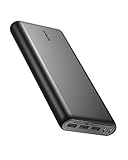
Carrying a laptop, a tablet, and a phone through an airport usually means carrying a tangle of chargers too. The Anker Prime 27,650mAh 250W power bank exists to collapse that pile into one brick you can toss in a backpack pocket.
With 140W available on a single USB-C port and 250W across all three, this is one of the few pocketable batteries that treats a 16-inch MacBook Pro as a first-class device instead of an afterthought. That capability shows up in the weight, and it shows up in the price.

- Power Multiple Devices at Once: Experience 250W multi-device fast charging that keeps your laptop at 140W while simultaneously powering your tablet and phone. Charge a 16-inch MacBook Pro to 50% in just 28 minutes.
- Smart Control at Your Fingertips: Customize your charging experience with the "Anker" app. Easily monitor charging status and locate your portable power bank when you're on the go.
- High Capacity, Portable Power: With 27,650mAh, charge a 13-inch MacBook Air (M2) 1.28 times or an iPhone 14 up to 4.67 times. Ideal for travelers needing USB-C power in a compact form.Please know that this power bank is 99.54Wh, which meets the requirements of the TSA(<100Wh) to be taken on airplanes as carry-on baggage.

A color display on the side reports live wattage per port, remaining capacity, and estimated time to full. The companion app adds charging history and a find-my-device feature. Anker also sells a separate charging base that this listing does not include, which matters if you were expecting a dock in the box.
Bottom Line
For frequent travelers and anyone who works off a USB-C laptop away from outlets, this Anker Prime model delivers laptop-class output in a form factor that clears TSA rules.
Check the current price and availability on Amazon.
Anker Prime Power Bank 27,650mAh Overview
Three ports, two USB-C and one USB-A, share a 250W total power budget inside a matte black slab measuring roughly 6.4 by 2.2 by 2 inches. The lithium polymer cells push the unit to about 1.5 pounds, which is dense for the size.
The front display is the standout hardware detail. It shows input and output wattage for each active port in real time, so you can confirm a laptop is pulling its full 140W instead of guessing.
GaN Prime internals keep heat manageable during high-draw sessions. The included kit covers a 2-foot USB-C cable and a travel pouch, backed by a limited warranty.
Who Is This High-Output Power Bank For?
Anyone who charges a laptop away from a wall outlet is the target buyer. Photographers on location, consultants working from trains, and students running a MacBook plus tablet through a long day all fit.
Skip it if your heaviest device is a phone. A 10,000mAh Anker portable charger weighs a fraction as much and costs far less for that job.
250W Multi-Device Charging Performance
Peak output splits intelligently rather than dividing evenly, so a connected laptop keeps priority while smaller devices draw what they need. Anker cites a 16-inch MacBook Pro reaching 50% in 28 minutes on the 140W port.
In practice, the wattage readout is the best part of this system. You see exactly when your phone drops from 27W to a trickle, which makes it easy to decide whether to unplug it and free headroom.
The USB-A port tops out well below the USB-C ports, so reserve it for accessories: earbuds cases, a camera battery, a headlamp.
Can It Power a Laptop, Tablet, and Phone at Once?
Yes, and that is the core reason to buy this over cheaper banks. Owners report running a power-hungry laptop, a Samsung tablet, and a phone simultaneously without any device dropping off.
Total draw stays capped at 250W. Push past that and the bank throttles the lower-priority ports first, which you can watch happen on the display.
27,650mAh Capacity for Work and Travel
Capacity translates to 99.54Wh, sitting just under the airline threshold by design. That works out to roughly 1.28 full charges for a 13-inch MacBook Air (M2) or about 4.67 charges for an iPhone 14.
Real-world numbers land slightly lower. Conversion losses, cable quality, and simultaneous charging all shave a bit off the theoretical figures, so plan on one full laptop refill plus a phone top-up per cycle.
For multi-day trips without reliable outlets, pairing it with a portable solar panel extends the runway, though solar recharging at this capacity is slow.
How Many Charges Can You Expect?
| Device | Approximate Full Charges |
|---|---|
| iPhone 14 | 4.6 |
| iPhone 15 Pro Max | 3 to 4 |
| iPad Pro 11-inch | 2 |
| MacBook Air 13-inch (M2) | 1.3 |
| MacBook Pro 16-inch | 0.7 |
One reviewer traveling with an iPhone 15 Pro Max reported four charges from 1% to 80%, which lines up with these estimates.
Fast 170W Recharging
Refilling the bank takes about 37 minutes to full when you feed both USB-C ports at once, drawing up to 170W combined. That is faster than most laptops recharge themselves.
Single-charger recharging is the realistic scenario for most people. With one 100W GaN adapter, expect roughly 70 to 90 minutes, still quick enough to top off over lunch.
One quirk worth knowing: if the bank drains completely and the screen goes dark, the charging base contacts stop working until you revive it through the USB-C port.
What Is Needed to Reach the Fastest Recharge Time?
Two separate wall chargers and two USB-C cables, plugged into both C ports simultaneously. A single 100W brick cannot reach 170W no matter how good it is.
Anker’s own high-wattage adapters work well here; a compact GaN Prime 67W USB-C charger handles the secondary port without adding much bag weight.
App Controls, Display, and Everyday Usability
The onboard screen handles most of what you need without ever opening a phone. Per-port wattage, battery percentage, temperature, and time-to-empty all cycle through the display.
Button placement is straightforward, and the screen wakes on plug-in. Reading it in bright sunlight is harder than indoors, though the contrast holds up better than the monochrome LCDs on older banks.
Build quality feels solid. The casing resists fingerprints better than glossy competitors, and the included pouch keeps the ports clean in a bag.
Is the Anker App Actually Useful?
Moderately. The app adds charging history graphs, firmware updates, and a location feature that helps when the bank slides under a car seat.
Several long-term owners flag inaccurate state-of-charge reporting, with the displayed percentage sitting on 100% longer than it should. Firmware updates haven’t fully resolved this, so treat the last 10% as an estimate.
Travel Readiness and Portability
At 1.5 pounds, this rides better in a backpack than a jacket pocket. The dimensions are close to a thick paperback, and the flat sides stack neatly against a laptop sleeve.
Weight is the most common complaint from owners, and it’s a fair one. You’re carrying the equivalent of a second phone and a half for the privilege of laptop charging.
For a lighter option with three ports and less output, the 24,000mAh Anker power bank trims some heft while keeping multi-device capability.
Is It TSA-Approved for Carry-On Luggage?
Yes. At 99.54Wh it falls under the 100Wh limit that airlines apply to lithium batteries in carry-on baggage, with no airline pre-approval required.
Pack it in your carry-on, never checked luggage. That rule applies to every lithium battery bank, and gate agents do enforce it.
Pros and Cons
Performance is the strong suit; weight and software polish are where compromises show.
Pros
- 140W single-port output charges full-size laptops at native speed
- 250W total across three ports handles a laptop, tablet, and phone together
- Recharges to full in about 37 minutes with dual inputs
- Detailed color display reports live wattage per port
- Clears the 100Wh airline threshold for carry-on travel
- Solid build with an included travel pouch and USB-C cable
Cons
- 1.5 pounds is heavy for daily pocket carry
- Battery percentage reporting drifts, especially near 100%
- Charging base sold separately despite the product design centering on it
- USB-A port speed lags well behind the USB-C ports
- Isolated owner reports of a battery failure incident
What Customer Reviews Reveal
Owner sentiment skews positive, with the recharge speed and laptop-class output drawing the most consistent praise across a large review base.
Common Praise From Long-Term Owners
Travelers repeatedly single out the ability to run everything from one brick. One owner keeps it permanently in a work bag for a laptop, Samsung tablet, and phone, crediting the 140W port as the reason.
Charging speed impresses people who have used competing high-end banks. A reviewer who tested it against crowdfunded graphene models still rated it the better daily driver despite its flaws.
Spanish and Dutch reviewers echo the same points: fast dual-phone charging, clear per-port readouts, and clean fit and finish.
Reported Drawbacks and Reliability Concerns
The recurring software complaint is the state-of-charge display. One long-term owner tracking the unit across nearly two years and multiple firmware updates reports that 100% remains unreliable, with reporting glitching once it hits that reading.
Weight comes up often, though most reviewers accept it as the cost of the capacity. One owner reported a battery failure inside a backpack, an isolated account among thousands of reviews, but worth noting when deciding where to store it.
Conclusion
Buy this if a laptop is part of your mobile kit and you want one battery covering everything you carry. The 140W port and 250W total output do work that smaller banks cannot, and the 37-minute dual-input recharge means downtime between trips is short.
The percentage readout will frustrate anyone who wants precise numbers, and 1.5 pounds is real weight in a daypack. Budget for a wall charger capable of 100W or more, since the recharge speed is only as good as what you plug into it.
If your charging needs stop at phones and earbuds, browse Anker power bank reviews for a lighter model before committing to this one.
Frequently Asked Questions
Is the Anker Prime 27,650mAh power bank worth it?
It earns its price for people who charge laptops away from outlets, where 140W single-port output and 250W total are hard to match at this size. Phone-only users get better value from a 10,000mAh model at a fraction of the weight and cost.
Can the Anker Prime 250W power bank charge a MacBook Pro?
Yes. The 140W USB-C port charges a 16-inch MacBook Pro at full speed, reaching 50% in about 28 minutes, and the pack holds roughly 0.7 of a full charge for that machine.
How heavy is the Anker Prime 27,650mAh power bank?
It weighs about 1.5 pounds and measures roughly 6.4 by 2.2 by 2 inches. That’s backpack territory; the density surprises most people picking it up for the first time.
Can I take the Anker Prime power bank on a plane?
Yes, in carry-on baggage. Its 99.54Wh rating sits below the 100Wh limit airlines apply to lithium batteries, so no special approval is needed, but it cannot go in checked luggage.
How long does the Anker Prime 27,650mAh power bank take to recharge?
About 37 minutes with two chargers feeding both USB-C ports for a combined 170W input. Using a single 100W adapter, plan on 70 to 90 minutes for a full recharge.
Has the Anker Prime power bank been recalled?
Anker has not issued a recall for this model, A1340. One owner reported a battery failure incident in a backpack, but that appears to be an isolated account.
Anker publishes recall notices on its support site if you want to verify the status of your serial number.
TechBytes

Our mission is to showcase the complex world of technology with comprehensive, accessible reviews. We bring you the freshest insights on everything from the most streamlined smartphones to the mightiest laptops, as well as the latest in smart home gadgets that simplify your daily routine and fitness wearables that monitor your well-being. Rest assured, we're here to guide you through the ever-evolving tech landscape.