Nanoleaf Essentials Matter Lightstrip Review

Looking for a light strip that plays nicely with whatever smart-home app you already use? The Nanoleaf Essentials Matter Bluetooth & Thread Smart LED Lightstrip 80″ Smarter Kit is built around Matter from the ground up, which means Apple Home, Google Home, and Samsung SmartThings all see it as a native device without a proprietary bridge in the middle.

At roughly 80 inches long with 2,200 lumens of white output and full RGBW color, this kit is bright enough to light a room rather than just glow behind furniture. That’s what separates it from most budget strips. The box includes the strip, a controller, and a power supply, and Nanoleaf backs it with a two-year parts warranty.

Nanoleaf Essentials Matter Bluetooth & Thread Smart LED Lightstrip 80" Smarter Kit (2m) - RGB & Whites, Controller, App & Voice Control (Works with Apple Home, Google Home, Samsung SmartThings)
  • [Matter-enabled] Compatible with all major smart home ecosystems to help futureproof your home.
  • [16M+ RGBW Colors] Virtually limitless color options. Enjoy the brightest white lighting with extended temperature range from the coolest to warmest whites or fully immerse yourself in a world of colors.
  • [Simple Setup] Scan the Matter QR code to pair your bulb and easily add it to your home.

Nanoleaf Essentials Matter Smart LED Lightstrip

Setup runs off a Matter QR code, and the strip supports both Bluetooth and Thread for local, low-latency control. Color animations like Fade, Highlight, and Random are handled in the Nanoleaf app, while scheduling can live in whichever ecosystem app you prefer.

Bottom Line

If you want a bright, genuinely multi-platform light strip and you’re comfortable with a bit of first-time pairing patience, this Nanoleaf kit earns its spot. Check the current listing and pick up the Nanoleaf Essentials Lightstrip here.

Overview: Nanoleaf Essentials Matter Smart LED Lightstrip

This is a 2-meter (80-inch) corded LED strip kit with an inline controller and its own power supply, rated at 23 watts and roughly 87 lumens per watt. That efficiency figure translates to 2,200 lumens of white light, which is unusually high for a consumer strip and closer to a pair of 60-watt-equivalent bulbs.

Color reproduction covers 16 million-plus RGBW shades, with a white temperature range that reaches 6500K at the cool end. It’s an indoor-only product running on standard 120V household power.

The Essentials line sits below Nanoleaf’s panel products in price and complexity. If wall-mounted geometry is more your goal, our take on the Nanoleaf Shapes Triangles Smarter Kit covers that side of the lineup.

Matter Compatibility and Smart-Home Control

Matter support is the headline feature here, and it works as advertised once pairing completes. The strip communicates over Bluetooth for initial setup and Thread for ongoing control, which keeps commands local and fast when you have a Thread border router, such as an Apple TV 4K, HomePod mini, or Nest Hub.

Thread matters in practical terms. Without a border router on your network, you’re leaning on Bluetooth range, and that’s where many of the reliability complaints originate.

Which Smart-Home Platforms Can Control the Lightstrip?

Apple Home, Google Home, Samsung SmartThings, and Amazon Alexa all handle this strip natively through Matter. You scan the QR code in whichever app you use, and the device appears alongside your other lights.

Platform Control Method
Apple Home Matter, Siri, HomeKit scenes
Google Home Matter, Google Assistant
SmartThings Matter, hub-based automations
Alexa Matter, voice routines
Nanoleaf App Full color, animation, and firmware control

Multi-admin means you can pair it to more than one ecosystem at once, which is useful in mixed households.

How Useful Are Voice Control and Schedules?

Voice control handles on/off, dimming, and color changes reliably through any of the assistants, though Siri responsiveness draws the most mixed feedback from owners. Scheduling is delegated to the platform app instead of being locked into Nanoleaf’s software.

That’s a practical win. You can build a sunrise ramp in Apple Home, a bedtime shutoff in Google Home, or tie the strip into a broader routine alongside a dimmable smart plug without juggling two apps.

RGBW Color Range and White-Light Brightness

The dedicated white LEDs are what set this strip apart from cheaper RGB-only options. Owners consistently note that white output is very bright and dimming is smooth and accurate across the range, without the stepping or flicker common at low levels on budget strips.

Colors are accurate and saturated, though noticeably dimmer than white mode. That’s normal physics for RGBW strips, since color relies on a subset of the diodes.

Color temperature reaches 6500K for a crisp daylight look and warms down enough for evening use.

Can It Work as Both Accent and Everyday Lighting?

Yes, and that dual role is the strongest argument for this kit over a cheap alternative. At full white output, a single 80-inch run mounted in a cove or under a cabinet produces enough light to work by in a small room.

Dial it down and it becomes soft bias lighting behind a TV, bookshelf, or headboard. If your needs are purely decorative and low-power, USB LED light strips cost far less and cover that job adequately.

Color Animations and Ambient Scenes

Animations run through the Nanoleaf app with effects including Fade, Highlight, and Random, plus adjustable transition speed. Slow the crossfade for a subtle shifting glow, or push the tempo for something party-appropriate.

The app also lets you build custom palettes, and owners repeatedly single out the depth of scene customization as a highlight. Scenes saved in the app can then be triggered by voice or ecosystem automations.

Effects here are single-zone rather than addressable per-segment. If you want chasing patterns and multiple simultaneous colors along one run, the Govee Glide Wall Lights RGBIC LED smart gaming lights handle that use case better.

Setup, Adhesion, and Placement Considerations

Pairing takes a QR code scan and typically a couple of minutes, though a meaningful share of buyers report a rougher first-run experience, particularly with Apple Home. Firmware updates through the Nanoleaf app before adding it to a platform tend to smooth things out.

Physical installation is where expectations need managing. The strip uses adhesive backing, and several owners found it loosening over time even on cleaned, dry surfaces.

What Should Buyers Know Before Installing It?

Plan a straight run. This strip is stiffer than typical flexible tape lights and does not fold cleanly around 90-degree corners, so the loop-back trick many people use with thinner strips works poorly here.

Practical tips before you commit:

  • Clean the mounting surface with isopropyl alcohol, not just a damp cloth, then wait for it to fully dry
  • Add mounting clips or a strip channel for anything overhead, like the underside of a bunk bed
  • Confirm the controller connector seats fully into the strip before adhering anything
  • Measure your run first; extensions are sold separately in 1-meter segments
  • Position the controller where you can reach it, since power cycling occasionally resolves connectivity hiccups

Pros and Cons

Pros

  • Bright white output at 2,200 lumens, enough for functional room lighting
  • True Matter support across Apple Home, Google Home, SmartThings, and Alexa simultaneously
  • Accurate, smooth dimming without visible stepping at low levels
  • Thread connectivity for local control that doesn’t route through the cloud
  • Deep app customization with animations and custom color palettes
  • Two-year parts warranty from Nanoleaf
  • Expandable with 1-meter extension segments

Cons

  • Adhesive backing fails for some users, especially on overhead or vertical mounts
  • Limited flexibility makes corner turns and tight bends impractical
  • Intermittent disconnects reported with Apple Home and Siri commands
  • Initial pairing can be frustrating and occasionally requires multiple attempts
  • Colors are dimmer than white mode, as with all RGBW strips
  • Priced above comparable non-Matter strips

Customer Reviews and Reliability Feedback

Feedback splits fairly cleanly between people delighted with the light quality and people frustrated by connectivity. The strip is well-rated on the whole, and the positive reviews are enthusiastic: owners describe it as among the brightest and most color-dynamic lighting they’ve used, with several buying additional units for other rooms.

Practical use cases show up repeatedly. Parents mount it to kids’ headboards and tie it to HomeKit reading scenes; others run it behind bookshelves for backglow.

The complaints cluster in two places. Apple Home pairing defeated at least one buyer after multiple days of troubleshooting, and unexplained disconnects that prevent the lights from turning on are the most repeated grievance.

SmartThings users report faster, more stable connections. One buyer received what appeared to be a used unit with a controller that wouldn’t mate to the strip, and another found the strip too rigid for their corner-heavy layout.

Conclusion

This is a strong pick if you value white-light brightness and cross-platform Matter support, and if your installation is a straight run on a surface you can prep properly. The light quality and dimming accuracy are legitimately better than most strips at this size, and Thread control keeps response times short when you have a border router.

Skip it if your layout demands corners, if you want per-segment addressable effects, or if you need something you can mount overhead and forget about. Buy an extra roll of 3M VHB tape or a set of clips alongside the kit; that single addition resolves the most common physical complaint before it starts. More coverage of connected lighting lives in our LED lights reviews.

Frequently Asked Questions

Is the Nanoleaf Essentials Matter Lightstrip worth buying?

It’s worth buying if you need bright white light and native support across multiple smart-home platforms in a single device. Buyers who only want decorative color at low cost will find better value in simpler RGB strips, and anyone mounting to a difficult surface should budget for additional adhesive or clips.

Does the Nanoleaf Essentials Matter Lightstrip work with Apple Home?

Yes, it pairs with Apple Home natively over Matter and appears as a standard HomeKit light with full color and scene support. Apple Home is also where the most pairing difficulty is reported, so update the firmware through the Nanoleaf app first and keep a Thread border router, such as an Apple TV 4K or HomePod mini, nearby.

How bright is the Nanoleaf Essentials Matter Lightstrip?

The strip produces 2,200 lumens of white light at 23 watts, equivalent to roughly two 60-watt incandescent bulbs. Color modes run noticeably dimmer since they use fewer diodes, which is standard for RGBW designs.

Can this Nanoleaf lightstrip go around corners?

Corners are a weak point, as the strip is stiff and does not fold or bend tightly enough for clean 90-degree turns. Plan straight runs, and for L-shaped layouts consider connecting separate segments at the corner instead of trying to bend a single length.

Does the Nanoleaf Essentials Matter Lightstrip support Google Home and SmartThings?

Yes, both are supported natively through Matter, along with Alexa and Apple Home. Owners report especially quick, stable connections with a SmartThings hub, while Matter’s multi-admin feature lets you keep the strip paired with several ecosystems at once.

Our mission is to showcase the complex world of technology with comprehensive, accessible reviews. We bring you the freshest insights on everything from the most streamlined smartphones to the mightiest laptops, as well as the latest in smart home gadgets that simplify your daily routine and fitness wearables that monitor your well-being. Rest assured, we're here to guide you through the ever-evolving tech landscape.

Nanoleaf Shapes Triangle Lights Review: Worth the Wall Space?

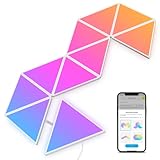
If you have been eyeing a wall of glowing triangles behind someone’s desk on Instagram and wondering whether the real thing lives up to the photos, the Nanoleaf Shapes Triangles Smarter Kit is the seven-panel starter set most people end up buying first. It ships with everything needed to get lit up in an afternoon: seven panels, rigid linkers, a controller, mounting plates with adhesive, and a 42W power supply.

What separates these from cheaper glow-up wall panels is the software: 16 million RGBW colors, animated scenes you can build yourself, real-time music reactivity, and a screen-mirroring mode that pulls color off your monitor or TV. The white finish keeps them discreet when they’re off, and the modular design means the seven-panel kit is a starting point rather than a ceiling.

Nanoleaf Shapes Triangle Lights, Smart RGBW LED Wall Light Panels, 7PK
  • [Build & Expand Your Designs] Create beautiful symmetry in any room, or get completely abstract - the choice is yours. Modular design allows you to mix and match Shapes (Hexagons, Triangles, Mini Triangles) and expand your setup with various Expansion Packs to create next-level designs that can be as large as 500 panels.
  • [Color-Changing Animations] Customize your lights with colors and motions; transition colors slowly for an ambience that sets the perfect mood or turn up the speed to get the party started.
  • [16M+ RGBW Colors] Virtually limitless color options. Select from or create your own color-changing Scenes for the perfect ambience.

Nanoleaf Shapes Triangle Lights

Panels connect edge to edge with small rigid linkers, so you can create a symmetrical layout or something completely irregular. A single system supports up to 500 panels, and the Triangles mix freely with Hexagons and Mini Triangles from the same Shapes family.

Bottom Line

For a gaming setup, home office, or living room wall that needs some personality, this kit delivers real light output and a genuinely deep app, backed by a two-year manufacturer warranty.

Check current availability and pricing on Amazon.

Nanoleaf Shapes Triangle Lights at a Glance

Here’s what the seven-panel kit brings to the table on paper:

Specification Detail
Panels included 7 white triangles
Brightness 560 lumens total (80 lumens per panel)
Color 16M+ RGBW, 6500K white
Power draw 10.5W typical, 42W power supply
Connectivity Wi-Fi
Smart home Alexa, Google Assistant, Apple HomeKit, SmartThings
Controls App, touch, voice, remote
Max system size 500 panels
Warranty 2 years limited

The kit is indoor-only and not water resistant, so bathrooms with heavy steam are off the table. Wattage stays low enough that leaving them on through an evening barely registers on a power bill.

Modular Triangle Layouts and Expansion Options

Layout freedom is the main reason people pick Shapes over a fixed-shape panel kit. Each triangle measures roughly 10.35 inches on its longest edge, and the rigid linkers snap into any adjoining side, letting you build honeycombs, arrows, mountain ranges, or a scattered constellation across a wall.

Seven panels cover a modest area, enough for a monitor backdrop or a corner accent. Most people who start here add an expansion pack within a few months, once the wall starts looking sparse.

Mixing Hexagons and Mini Triangles into the same run works without a second controller, which is where these RGB light panels pull ahead of single-shape competitors. Plan your layout on the floor first. The app’s layout preview is helpful, but physical dry-fitting saves adhesive.

RGBW Scenes and Animated Color Effects

Color quality is where the RGBW mix earns its keep. The dedicated white LED means 6500K daylight and warmer scene whites look clean instead of taking on the slightly minty cast you get from RGB-only panels faking white.

Scenes fall into two camps: static color palettes and motion effects. Motion scenes let you set direction, speed, and transition style, so the same palette can drift like a slow sunrise or pulse hard enough for a party.

The app ships with a large scene library, and the community Discover section adds thousands more that download in seconds. Building your own takes a few minutes: pick up to a handful of colors, choose an animation type, and dial in the speed slider.

Brightness scales smoothly down to a low glow, which matters for late-night use behind a monitor.

Music Sync and Screen Mirroring

Rhythm scenes react to sound picked up by the controller’s microphone, and the response is quick enough to track a beat without visible lag. Different rhythm scenes interpret audio differently, so bass-heavy tracks and vocal-forward tracks each have effects that suit them.

Screen mirroring runs through the Nanoleaf desktop app on Windows and macOS, sampling colors from your display and pushing them to the panels. Match mode is the setting to use for movies, where the panels take on the dominant tones of the scene on screen.

For PC gamers, third-party integration is a bonus. Several owners run the panels through SignalRGB alongside other peripherals, keeping keyboard, case, and wall lighting on one profile.

Installation and Smart-Home Control

Setup runs about 30 to 45 minutes for a seven-panel design, with most of that time spent on layout planning rather than wiring.

Mounting the Panels Securely

Mounting plates attach to the wall with double-sided adhesive squares, then panels click onto the plates. This is the part that trips people up.

Clean the wall with isopropyl alcohol, press each plate for a full 30 seconds, and wait an hour before hanging panels. Textured paint, matte finishes, and freshly painted walls are the usual culprits behind panels falling. A few owners have reported exactly that after a couple of weeks.

On problem surfaces, upgrade to heavier-duty mounting tape or use the optional screw mount kit.

App, Touch, and Voice Controls

The Nanoleaf app handles layout mapping, scene selection, scheduling, and firmware updates over Wi-Fi. Setup is a QR scan plus a network handoff.

The controller has touch-sensitive buttons for power, brightness, and scene cycling, which is useful when your phone is across the room. Panels themselves respond to touch gestures for a handful of interactive effects.

Voice control works through Alexa, Google Assistant, Apple HomeKit, and SmartThings. HomeKit users get the tightest integration, including scene triggers inside automations.

A solid mesh network helps if your panels sit far from the router, which is worth considering alongside broader smart home ecosystem upgrades.

Pros and Cons

Pros

  • Rigid linkers allow nearly any layout, expandable to 500 panels
  • RGBW produces clean whites alongside saturated color
  • Deep app with thousands of community scenes and custom scene creation
  • Music sync and desktop screen mirroring both work in real time
  • Works with all four major smart home platforms
  • Two-year warranty with responsive support on defective panels

Cons

  • Adhesive mounting fails on textured or matte walls
  • Premium price compared with Govee Triangle Light Panels and other budget alternatives
  • Seven panels cover a small area; expansions add cost quickly
  • Screen mirroring requires a desktop app, not phone-based
  • Not water resistant, indoor use only

What Customer Reviews Reveal

Owner feedback skews positive, with the strongest praise going to visual impact and ease of setup. The most consistent criticism, meanwhile, is aimed at the adhesive.

What Owners Love Most

Setup speed comes up repeatedly. Buyers describe getting panels connected, mapped, and running scenes on the same day with no troubleshooting.

Several reviewers mention using them in game rooms and battlestation setups, where they pair well with existing RGB gear. One owner running SignalRGB integration highlighted how well the panels sync with the rest of a PC build.

Customer service earns specific praise too. An owner who received a defective triangle reported that Nanoleaf validated the issue and shipped a free replacement.

Common Complaints to Consider

Panels falling off the wall is the standout issue. One reviewer had their setup crash down in the middle of the night after two weeks on the factory adhesive.

Price sensitivity shows up as well, with some buyers feeling the cost outpaces what seven panels deliver in coverage. A handful of others noted that the build feels more plastic than premium once the panels are in hand.

Conclusion

The Shapes Triangles kit earns its place if you value layout flexibility and software depth over raw panel count per dollar. The RGBW color rendering, community scene library, and four-platform smart home support are things budget panels don’t match.

Budget for two things beyond the kit itself: stronger mounting hardware if your walls are textured, and at least one expansion pack, since seven panels read as a small accent on most walls.

Skip it if you want maximum coverage cheaply or need something for a humid room. Anyone building out a gaming corner or media wall who already appreciates good LED lights will get plenty of use from the app alone.

See the current listing on Amazon.

Frequently Asked Questions

Are Nanoleaf Shapes Triangle Lights worth the price?

They’re worth it if you plan to use the app features rather than treat them as static wall decor. The scene engine, music reactivity, and screen mirroring justify the premium over basic panels; if you only want a colored glow, cheaper options do that job.

How difficult are Nanoleaf Shapes Triangle Lights to install?

Installation takes under an hour and requires no tools beyond a cloth and rubbing alcohol for wall prep. The panels click onto adhesive-backed mounting plates, and the main effort goes into planning your layout before anything touches the wall.

Can Nanoleaf Shapes Triangle Lights sync with music and a TV or computer screen?

Yes to both, through different methods. Music sync uses the controller’s built-in microphone and works with any audio source in the room, while screen mirroring requires the Nanoleaf desktop app running on a Windows or macOS machine connected to your display.

Do Nanoleaf Shapes Triangle Lights work with Alexa, Google Assistant, and Apple HomeKit?

Yes, all three are supported, along with SmartThings. Voice commands cover power, brightness, color, and named scenes, and HomeKit users can pull the panels into automations triggered by other accessories or time of day.

Do Nanoleaf Shapes Triangle Lights use a lot of electricity?

No. The seven-panel kit draws about 10.5 watts during normal use, which is roughly comparable to a single LED bulb. The included 42W power supply leaves some headroom for expansion panels and full-brightness white output, too.

Govee Glide Hexa Light Panels Review: Worth It?

Wall lighting has moved well past the single strip of tape LEDs behind a monitor, and hexagon panels are the clearest sign of that shift. If you have been eyeing a geometric light wall for a gaming setup, a bedroom, or a home office, the Govee Glide Hexa Light Panels sit near the top of most shortlists.

This 10-panel kit uses RGBIC technology, meaning each panel displays multiple colors at once across its edges. The result is flowing, gradient-style lighting across your whole design instead of ten separate blocks of solid color, and that single difference is what separates these from budget hexagon knockoffs.

Setup runs through the Govee Home app over Wi-Fi or Bluetooth, with Alexa and Google Assistant support for voice control.

Govee Glide Hexa Light Panels, RGBIC Hexagon LED Wall Lights
  • Customize Your Home Aesthetics: Design your hexagon light panels layout or choose from massive recommended designs in the App. Create a personalized lighting with inspiration for your living room. Suitable for gaming decor and gamer gifts.(Note: Please press every panel light for more than 30 seconds to ensure its stickiness. Each adapter can support a maximum of 12 light panels.)
  • Unique RGBIC: Each edge has different light colors to produce more effects like ultra-smooth flowing or gradient color between wall panels. The translucent back shell design can shine onto the wall to make extra layering light for home decorations.
  • Visualize Your Songs: 6 kinds of Music Sync Modes make every lights panels dance to the rhythm. Turn your favorite gaming songs into a symphony of flowing light . Enjoy the fantastic moment with Govee hexagon lights.

Govee Glide Hexa Light Panels

At 500 lumens across the set, these panels put out enough light to serve as real room lighting rather than pure decoration. Music sync modes, animated scene effects, and scheduling round out a feature list that stays useful long after the novelty wears off.

Bottom Line

If you want a customizable light wall that handles both ambient lighting and reactive effects, the Hexa panels deliver on both counts.

The app is deep, the colors are vivid, and the modular layout adapts to almost any wall.

Check the current price and availability of the Govee Glide Hexa Light Panels on Amazon.

Govee Glide Hexa Light Panels Overview

Ten hexagonal panels ship in the box alongside a control box, power adapter, and adhesive mounting hardware. Each panel measures roughly 7.1 by 6.2 inches and sits about 0.7 inches deep, so a full ten-panel arrangement covers a meaningful chunk of wall without dominating it.

The set runs on a 36-watt AC adapter at 120 volts and connects over both Wi-Fi and Bluetooth. Total light output reaches 500 lumens, and the glossy plastic shells carry a one-year manufacturer warranty.

These are indoor-only fixtures with no water resistance, mounted by paste installation. Govee positions them for bedrooms, game rooms, studios, and living rooms, and they sit comfortably in the broader category of RGB light panels that has grown considerably in recent years.

RGBIC Edge Colors and Layered Backlighting

Each hexagon segments its edges into independently controlled color zones, which is what makes the flowing effects look continuous rather than stepped. Run a rainbow scene and the color travels across panel boundaries as one motion.

The back shell is translucent, so light bleeds behind the panel and washes the wall surface. That second layer of glow softens the whole installation and adds depth you do not get from panels with opaque backs.

In practice, the effect is most noticeable on light-colored walls at moderate brightness. Push the panels toward full output and the wall wash gets overwhelmed by direct panel glare, so the sweet spot for layered ambiance is probably somewhere in the 30 to 60 percent range.

App Control, Voice Commands, and Custom Scenes

The Govee Home app carries the entire experience, and it is more capable than most competing lighting apps. You build your layout in the app, and the software maps panel positions so animated effects run in the correct direction across your specific arrangement.

Preset scenes cover nature themes, holidays, and mood lighting, with a community section where users share their own effect designs. Scheduling handles sunrise and sunset simulation or simple on/off timers.

Alexa and Google Assistant both work for color, brightness, and effect changes without touching your phone. That voice layer reflects how far AI-powered assistants have come in everyday home use, and it covers the gap left by the absence of a physical remote.

Music Sync and Animated Lighting Effects

Six distinct music sync modes give you more variation than the single reactive mode common on cheaper panels. Some emphasize sharp beat response, while others favor slower color drifts that track overall energy rather than individual hits.

The control box microphone picks up ambient sound, so the panels react to speakers in the room rather than needing a direct audio feed. Response feels tight enough for gaming and movies, with minimal lag between a bass hit and the light change.

For anything music-driven, the modes that spread color across multiple panels look better than the ones that flash all ten in unison. Paired with a large display like the LG UltraGear 45GR75DC ultrawide monitor, the combined effect fills a room convincingly.

Wall Mounting and Layout Flexibility

Mounting uses adhesive pads, and Govee is explicit about pressing each panel for at least 30 seconds to set the bond properly. Skipping that step is the single most common cause of panels dropping later.

One adapter powers up to 12 panels, so this 10-pack leaves room for two more if you expand. Connectors snap between panels, which means your layout is limited by geometry rather than wiring.

Textured walls, fresh paint, and wallpaper are the problem surfaces. On those, third-party mounting tape or small command-style strips hold far better than the included adhesive.

Renters worried about paint damage should test a single panel in a low-visibility spot first. If hexagons do not suit your wall, Govee’s triangle light panels and Glide wall light bars use the same app and RGBIC engine in different shapes.

Pros and Cons

Pros

  • Multi-color RGBIC edges produce smooth gradients and flowing effects across the full layout
  • Bright enough for real room lighting at 500 lumens, with plenty of headroom to dim
  • Translucent backs create a secondary wall glow that adds visual depth
  • Deep app control with layout mapping, community scenes, scheduling, and six music modes
  • Alexa and Google Assistant support for hands-free operation
  • Expandable to 12 panels on a single adapter

Cons

  • Adhesive reliability is the weak point, especially on textured or recently painted walls
  • No physical remote included, so phone or voice is your only control method
  • Indoor use only with no water resistance
  • Premium pricing compared to generic hexagon panel sets
  • Bulk of the value sits in the app, so an unstable Wi-Fi connection degrades the experience

What Customer Reviews Reveal

Adhesive failure dominates the critical feedback, and it is the one consistent complaint across otherwise positive reviews. Multiple owners describe rehanging panels repeatedly within the first few months, though several note that Govee’s support team responded quickly and resolved the issue.

Brightness draws frequent comment, often with surprise. Several buyers run the panels well below half output because full brightness overwhelms a normal-sized bedroom.

Build quality and color vibrancy earn steady praise, including from long-term owners two years into ownership. Parents buying for kids’ and teens’ rooms report that the app’s customization options hold attention past the initial setup.

The most common wish is a physical remote. Reviewers who bought cheaper hexagon alternatives first tend to say the upgrade was worth it, which shows up repeatedly in comparisons across RGB light panel reviews.

Conclusion

These panels earn their place if you want lighting that works as both a design element and a functional light source. The RGBIC edge control, the translucent wall wash, and the depth of the Govee Home app together justify the premium over generic hexagon kits.

Plan for the adhesive. Buy a roll of quality mounting tape alongside the panels if your walls are anything other than smooth, clean, cured paint, and press every panel for a full 30 seconds during installation.

Ten panels give you a substantial arrangement with room to add two more later. Start with a layout sketch before you stick anything to the wall, because repositioning after the adhesive sets is the part nobody enjoys.

Frequently Asked Questions

How bright are Govee Glide Hexa Light Panels?

The full ten-panel set produces 500 lumens combined. That is bright enough to light a bedroom or small office on its own, and many owners keep the panels dimmed well below maximum for comfortable ambient use.

Do Govee Glide Hexa Light Panels work with Alexa and Google Assistant?

Yes, both platforms are supported for voice control of color, brightness, and lighting effects. You connect the panels to your Wi-Fi network through the Govee Home app first, then link the Govee skill or service to your assistant of choice.

How many Govee Glide Hexa Light Panels can one adapter support?

A single adapter powers a maximum of 12 panels. Since this kit includes 10, you have room to add two expansion panels before needing a second adapter and control box.

Do the Govee Glide Hexa Light Panels stay attached to the wall?

On smooth, clean, fully cured painted walls they hold well when you press each panel for at least 30 seconds during installation. Textured walls, wallpaper, and fresh paint cause the most failures, and stronger third-party mounting tape solves the problem in those cases.

Are Govee Glide Hexa Light Panels worth it for a gaming room?

They suit gaming spaces well, thanks to six music sync modes, quick reactions to ambient sound, and flowing multi-panel animations that show up clearly on camera for streaming. The lack of a physical remote matters less when your phone or a voice assistant is already within reach.

Govee Glide Wall Lights Review: Smart RGBIC Ambiance

Wall lighting has moved well past the single strip of tape behind a monitor, and the Govee Glide Wall Lights sit right in the middle of that shift. You get six rigid light segments that snap together into two three-piece lines, each capable of running several colors along its length at once.

If you want structured, geometric wall lighting that responds to music and voice commands without the cost or complexity of full panel kits, this set covers that ground well. The H610A model runs on Wi-Fi and Bluetooth, pairs with the Govee Home app, and works with Alexa, Google Assistant, and SmartThings.

Sale
Govee Glide Wall Lights, Smart Gaming Light Bar, Works with SmartThings
  • Smart App and Voice Control: Govee wall decorations indoor light bar adjust RGBIC Gaming lights hands-free via Alexa and Google Assistant. Bluetooth and WiFi control colors, brightness, and scene effects on the Govee Home App. Plus, AI Lighting Bot 2.0 turns speak, text, or snap into personalized effects, and refines them through conversation—making lighting smarter and truly bespoke. Note*: Please connect ALL the bars before plugging in the power.
  • Adjustable Multi-Color Lightings: With patented RGBIC tech, Govee Glide lively Light makes glide display 24 colors at one time with DIY Mode, 16 million colors for endless customization options, and flowing multi-color effects, Suit for gaming decorations. Note: The image contains more than one set of products.
  • 11 Upgraded Music Modes: Let your LED Wall Sconces music sync to your favorite audio and create an immersive listening experience. Choose from the 11 versatile music modes on the Govee Home App to keep the party going.

Govee Glide Wall Lights

Each segment measures roughly 14.8 inches long and about an inch and a quarter wide, mounting with included Velcro and adhesive pads. A control box handles power, and the whole set draws 36 watts at 24 volts.

Bottom Line

For gaming rooms, bedrooms, or a bland stretch of hallway wall, this set delivers vivid color and reliable smart control at a fair price.

Check current availability and pricing for the Govee Glide Wall Lights on Amazon.

Govee Glide Wall Lights Overview

Six hard plastic light bars form the core of this kit, joining end to end into two straight runs of roughly 45 inches each. The included components cover an adapter, a control box, the six sections, and a manual, so nothing extra is required beyond a nearby outlet.

The finish is clean white brushed plastic with a diffused face, keeping the bars neutral when they’re switched off. The full set weighs around two pounds, light enough for the adhesive mounting to hold without anchors.

Govee backs the H610A with a one-year warranty. These are indoor-only fixtures with no water resistance, so bathrooms with heavy steam are off the table.

Who Are These Smart Wall Lights Best For?

Gamers and streamers get the most obvious payoff, since the bars sit well behind a desk or above a monitor and react to on-screen audio. Bedrooms and home theaters work equally well.

Renters benefit here too. The Velcro-and-adhesive system avoids drilling, and owners who have run these for a year report the pads holding firm, including in a kitchen. If you want more elaborate geometry, the Govee Glide Hexa light panels cover that territory instead.

RGBIC Multi-Color Lighting Effects

Patented RGBIC technology lets each bar show multiple colors along its length simultaneously, with up to 24 distinct colors displayed across the set at once. That’s the practical difference from older RGB strips, where the entire run locks to one shade.

The color palette spans 16 million options, and DIY mode gives you segment-level control to build custom gradients. Flowing effects push color along the line, which looks especially good on a horizontal run above a desk.

White output is strong enough to serve as usable accent lighting rather than pure decoration, and the dimming range goes deep for late-night use without glare.

How Does RGBIC Change the Look of a Wall?

A single-color strip washes a wall in one flat tone. Independent segments create depth, so a sunset gradient shifts from amber at one end to violet at the other across a single bar.

Motion matters more than color count in daily use. Slow color drift across a two-line layout looks deliberate and calm, while faster chases suit a party or a match. The same logic applies across the broader category of RGB light panels, where segmentation drives the visual difference.

App, Wi-Fi, and Voice Control

Setup runs through the Govee Home app over Bluetooth first, then Wi-Fi for remote and voice access. One instruction deserves attention: connect all six segments before plugging in the power adapter, since the controller counts sections at startup.

The app handles brightness, color, scenes, timers, and schedules. Owners consistently describe the pairing process as quick, and the timer function holds up over months of use.

Wi-Fi runs on the 2.4 GHz band. If your router struggles in the room where these mount, a stronger Wi-Fi 7 mesh system resolves the dropouts that plague any cloud-connected light.

Can Alexa, Google Assistant, and SmartThings Control the Lights?

Yes to all three. Alexa and Google Assistant handle voice commands for on/off, brightness, and color once the Govee account links in either app.

SmartThings support opens up routines alongside other hub devices, so the bars can trigger with a door sensor or a good night scene. Voice control covers the basics well, while scene modes and music sync still need the Govee app.

Music Sync and Dynamic Scene Modes

Eleven music modes handle audio reactivity, ranging from gentle pulses to aggressive strobing that tracks bass hits. The set uses the phone’s microphone, so the response follows room audio rather than a direct signal from your PC.

Beyond music, 64-plus scene modes cover moods from candlelight flicker to rapid gaming effects. Tapping one applies it instantly, and you can layer your own DIY presets alongside them.

Sensitivity is adjustable, which matters if you’re gaming with headphones and the mic picks up little. Turning it up keeps the reaction visible at low room volume.

Are the Effects Useful Beyond a Gaming Setup?

The quieter scenes carry the set outside a gaming context. Warm static tones work as evening living room lighting, and slow-drift modes suit a bedroom without feeling like a light show.

Movie nights benefit too, with muted ambient scenes reducing eye strain around a TV. Some scenes lean bright and busy, so building two or three favorites into the app saves scrolling every time.

Installation and Wall Layout Flexibility

Mounting takes under 20 minutes. Press the Velcro pads for a full 10 seconds and let them cure for roughly an hour before hanging the bars, which makes a noticeable difference in grip strength.

Each set forms two lines of three connected segments. Straight horizontal runs, verticals flanking a monitor, or an L-shape are all achievable within the connector’s range of motion.

Surfaces need to be smooth and clean. Textured drywall and matte paint reduce adhesion, and a wipe with isopropyl alcohol beforehand helps considerably.

What Should Buyers Know Before Mounting the Rigid Segments?

These bars are hard and rigid, with no bending. Anyone expecting a flexible strip that curves around a corner should look at smart LED lightstrips instead.

Test the full assembly on the floor before committing to the wall. Some owners have found that powering up before all segments are joined causes recognition issues, and the fix is a simple reconnect and restart.

Plan cable routing early, since the control box and adapter need to reach an outlet.

Pros and Cons

Category Details
Best use Gaming desks, bedrooms, home theaters
Control App, Wi-Fi, Bluetooth, voice, SmartThings
Mounting Adhesive and Velcro, no drilling
Limitation Rigid segments, indoor only

Pros

  • RGBIC segments show up to 24 colors at once across the set
  • Bright enough in white mode to work as real accent lighting
  • Deep dimming range for low-light use
  • Broad smart home support including SmartThings
  • Adhesive mounting holds long-term, per year-plus owner reports
  • 64-plus scene modes plus 11 music sync options

Cons

  • Bars are rigid, so no curves or custom shapes
  • Segmented three-piece design leaves visible seams
  • Not water resistant, indoor use only
  • Music sync relies on phone microphone
  • All segments must be connected before powering on

What Customer Reviews Reveal

Owner feedback skews strongly positive, with the set well-rated across thousands of buyers. Repeat Govee customers make up a visible share of reviewers, several noting they trust the brand’s power adapters and build quality over cheaper alternatives.

Longevity comes up more than once. One owner reported a year of daily use as accent lighting in a kitchen with the adhesive still holding and the app timer working reliably.

Spanish-language reviews echo the same points, praising brightness and color quality from just two bars.

What Owners Like Most After Setup

Ease of setup dominates the praise. Buyers describe getting the bars paired and running within minutes, with Google integration working without fuss.

Parents buying for kids’ rooms highlight brightness that reads vivid without being harsh. The music sync draws consistent enthusiasm for parties and movie nights.

The most common complaint is cosmetic: the three-section construction shows joints, which several reviewers call minor but noticeable. A few flagged the need to connect every segment before plugging in, a step the manual mentions but that’s easy to miss. More detail sits in our full Govee Glide wall lights breakdown.

Conclusion

The H610A earns its place for anyone wanting structured wall lighting with real smart home reach. Color quality, brightness, and app responsiveness all land above what the price suggests, and the adhesive mounting makes it viable in rentals.

Skip it if you need curved layouts, outdoor durability, or a seamless single-bar look. Two straight lines of three segments is the shape you get.

For gaming desks, bedrooms, and media rooms, the combination of RGBIC segmentation, SmartThings compatibility, and 11 music modes covers nearly everything most people want from accent lighting. Browse more of our LED lighting reviews if you’re weighing alternatives.

See the current Govee Glide Wall Lights listing on Amazon.

Frequently Asked Questions

Are Govee Glide Wall Lights good for gaming rooms?

Yes, they’re built for that use case with 11 music sync modes and fast-reacting scene effects. Mount them behind a monitor or above a desk for backlighting that reduces contrast strain during long sessions.

Can Govee Glide Wall Lights display multiple colors at once?

Yes, RGBIC technology drives each segment independently, showing up to 24 colors simultaneously across the set. DIY mode in the Govee Home app lets you assign specific colors to individual sections for custom gradients.

Do Govee Glide Wall Lights work with Alexa and Google Assistant?

Both assistants are supported, along with Samsung SmartThings. Link your Govee account in the respective app to control power, brightness, and color by voice, though scene selection and music sync still require the Govee app.

Are Govee Glide Wall Lights flexible enough to make shapes?

No, the segments are hard plastic and cannot bend. The connectors allow angled joins between sections, so an L-shape or a slight bend at a joint works, but curves and freeform designs are off the table.

How well does the adhesive hold Govee Glide Wall Lights?

The included Velcro and adhesive pads hold well on smooth, clean surfaces, with owners reporting a year of stable mounting. Press each pad for 10 seconds and wait about an hour before hanging the bars for maximum grip.

Can Govee Glide Wall Lights sync with music?

Yes, 11 music modes react to audio picked up by your phone’s microphone. You can adjust the sensitivity in the app, which helps when you’re gaming with headphones and the room volume stays low.

Govee Triangle Light Panels Review: Colorful Wall Decor

Wall lighting is one of the fastest ways to change how a room feels, and the Govee Glide Triangle panels take a different approach than the usual opaque modular kits. Each triangle uses a transparent shell, so color spills onto the wall behind it and creates a soft halo effect alongside the panel itself.

The 10-pack ships with everything you need for a wall install: light panels, mounting plates, linking cables, adhesive tape, a control box, an adapter, and a small bubble level. RGBIC technology lets a single triangle display several colors at once, which is what separates this kit from cheaper panels that can only glow one solid shade at a time.

Govee Triangle Light Panels, RGBIC Glide Wall Light, Multicolor Effects, Music Sync, DIY Design, Smart APP Control, Works with Alexa & Google Assistant for Room, Gaming, 10 Pack(Not Support 5G WiFi)
  • Unique Lighting Effects: With RGBIC technology, each panel can display multiple colors at once. Its transparent shell allows the lights from your panels to transmit directly onto your walls with a unique fluorescent glow to create stunning effects in your home for gaming or holiday decor.
  • DIY Lighting: Choose from dozens of recommended patterns in our app for your reference or design your unique triangle panel layout. Personalize your panels even more by selecting your gaming or holiday colors and effects via the app. Create a one-of-a-kind modular for your living room or bedroom. Suitable for gaming decor, valentine's day gift and gamer gifts.
  • Rich Scene Modes: Find rich animated lighting effects for your light panels on the Govee Home App. Choose from a selection of over 40 preset scene modes that fit your style. Each effect produces electrifying colors that will leave you in awe. Sync scene modes to create your gaming light feast.

Govee Triangle Light Panels

Control runs through the Govee Home app over Wi-Fi and Bluetooth, with Alexa and Google Assistant support for voice commands. Over 40 scene modes and six music modes cover most of what a gaming setup or living room accent wall needs.

Bottom Line

If you want wall lighting with real color depth and a layout you design yourself, this Govee kit earns its place on the wall.

Check the current listing and add the Govee Triangle Light Panels to your setup.

Govee Triangle Light Panels Overview

Model H6067 is a 10-panel indoor wall lighting kit built around a translucent triangular design. The full set weighs about 4 pounds, draws 36 watts at 120 volts, and connects to your home network over 2.4 GHz Wi-Fi, with Bluetooth available for initial pairing.

Everything arrives in one box: 10 panels, 10 mounting plates, 10 linking cables, 12 adhesive strips, a control box, connection cable, power adapter, bubble level, and the manual. Govee backs the kit with a one-year warranty.

The plastic construction keeps weight low, which matters when you’re sticking panels to drywall with adhesive. These are strictly indoor lights with no water resistance rating, so bathrooms and covered patios are off the table.

If you’re comparing modular options, our rgb light panels coverage lines up several similar kits.

RGBIC Wall Glow and Multicolor Effects

The transparent housing is the defining feature here. Light passes through the shell and lands on the wall, producing a fluorescent-looking bloom around each triangle that solid panels can’t reproduce.

RGBIC means individually controllable LED segments inside each panel. One triangle can run a gradient from magenta to cyan while its neighbor holds a warm amber, and transitions flow across the whole array as a single continuous animation.

Color range covers 16.8 million shades. In practice, saturated blues, purples, and reds look strongest against a white wall; pastels and near-whites lose some of the halo effect.

For comparison with the strip-style version of this design, the govee glide wall lights rgbic led smart gaming lights review covers the linear alternative.

DIY Triangle Layouts for Personalized Decor

Layout is entirely up to you. Triangles connect edge to edge in whatever arrangement fits your wall, and the app includes dozens of reference patterns if you’d rather start from a template than sketch your own.

Each panel measures roughly 13 inches on its longest side, so 10 triangles cover a meaningful stretch of wall without dominating a small bedroom. Common arrangements include a diagonal wave behind a monitor, a clustered arrow above a headboard, or a scattered constellation across a stairwell.

Once you build the shape in the app, you assign colors segment by segment. Mapping panel positions correctly during setup matters, since the app needs to know your layout to run directional animations properly.

Hexagonal fans can compare geometry in our govee glide hexa light panels review.

Scene Modes and Music-Synced Lighting

More than 40 preset scenes come loaded in the Govee Home app, spanning holiday palettes, gaming atmospheres, and slow ambient fades. Sunset and aurora presets work well for evening living rooms; the faster pulse effects suit desk setups during play sessions.

Six music modes drive the panels from the built-in microphone. Bass-heavy tracks trigger the most dramatic response, with color sweeping across connected triangles in time with the beat.

Mic sensitivity is adjustable, which you’ll want to tune. Set too high in a quiet room, the panels react to typing and conversation.

Dialing it back keeps the effect tied to your speakers instead of ambient noise.

App, Touch, and Voice Controls

Three control paths are available: the Govee Home app, a touch control on the box, and voice through Alexa or Google Assistant. The app handles the detailed work, including layout mapping, custom color assignment, brightness, and scene selection.

Voice commands cover the basics well. Turning panels on, switching scenes, and adjusting brightness all work hands-free once the skill is linked, which is useful mid-game or when your hands are full.

Smart speaker integration continues to expand across home devices, as our look at the rise of ai powered assistants enhancing everyday experiences explores.

One limitation to note upfront: the kit connects only to 2.4 GHz networks. Dual-band routers broadcasting a single merged SSID sometimes complicate pairing.

Installation and Room Placement

Mounting takes patience more than skill. Adhesive plates attach to the wall first, panels clip onto the plates, and short linking cables carry power and data between triangles.

The included bubble level earns its spot in the box. Triangles amplify any tilt, and a panel that’s two degrees off throws the whole arrangement out of alignment.

Practical placement notes from real installs:

  • Clean and dry the wall thoroughly before applying tape
  • Lay the full pattern out on the floor first to confirm cable reach
  • Avoid textured or freshly painted surfaces, where adhesive grip drops off
  • Position the control box near an outlet, since cable length is limited

Behind a monitor, above a desk, or on the wall opposite a TV all produce strong results. A gaming desk with led lights pairs naturally with a panel array on the wall above it.

Pros and Cons

Pros

  • Transparent shells create a wall glow that opaque panels can’t match
  • RGBIC segments allow multiple colors per triangle simultaneously
  • Brightness runs high, with dimming smooth enough for dark rooms
  • Layout is fully customizable with app templates as a starting point
  • Alexa and Google Assistant support works reliably after setup
  • Everything needed for installation is in the box, including a bubble level

Cons

  • No 5 GHz Wi-Fi support, which complicates setup on merged-SSID networks
  • Printed instructions are thin; the video tutorial is more useful
  • Some preset patterns map colors to panels inconsistently
  • Adhesive mounting limits repositioning once panels are set
  • Indoor only, with no water resistance

What Amazon Customers Are Saying

Buyer feedback skews positive, with app connection and setup speed drawing repeat praise. Several owners mention that Bluetooth pairing went smoother here than with other smart light products they’ve used.

Brightness surprises people in a good way. One reviewer noted the panels perform in both lit and darkened rooms thanks to responsive dimming controls, and another described them as brighter than expected out of the box.

Light distribution across each panel gets consistent marks for evenness. A recurring criticism involves certain preset patterns assigning colors to the wrong panels, a mapping issue rather than a hardware fault.

Longtime Govee owners describe this kit as their favorite among the brand’s lineup, ranking it above backlights, light bars, and standard strips. The most negative feedback centered on documentation quality and a purchase experience issue instead of the panels themselves.

Conclusion

These panels suit anyone who wants wall lighting with visible depth instead of a flat colored surface. The transparent shell design produces a genuine halo on the wall, and RGBIC segmenting gives each triangle color variation that single-zone panels can’t deliver.

Setup rewards preparation. Plan your layout on the floor, confirm your router is broadcasting a 2.4 GHz band you can select directly, and watch the tutorial video before touching the adhesive.

Gaming rooms, bedrooms, and studio walls all benefit, though the effect lands hardest on a light-colored wall in a dimmable room. If you’re weighing this against other geometric options, the nanoleaf shapes triangles smarter kit review covers the closest competing system at a different price point.

Frequently Asked Questions

Are Govee Triangle Light Panels Worth Buying?

Yes, if you want customizable wall lighting with multicolor effects on each panel. The translucent design and RGBIC segmenting deliver more visual interest than standard single-color panels, and the 10-pack covers enough wall for a meaningful accent.

Do Govee Triangle Light Panels Work With Alexa and Google Assistant?

Both platforms are supported. After linking the Govee skill or service in your assistant app, you can turn the panels on and off, change scenes, and adjust brightness by voice without opening the phone app.

Do Govee Triangle Light Panels Support 5 GHz Wi-Fi?

No, the panels connect only to 2.4 GHz networks. If your router combines both bands under one network name, temporarily separating the SSIDs or using a guest 2.4 GHz network makes pairing far easier.

How Bright Are Govee Triangle Light Panels?

The 10-panel set draws 36 watts and produces enough output to be visible in a well-lit room. Owners consistently report the panels being brighter than anticipated, and app dimming scales down smoothly for evening use.

Can Govee Triangle Light Panels Sync To Music?

Yes, six music modes use the built-in microphone to drive color changes in time with audio. Sensitivity is adjustable in the app, which you’ll probably want to lower in quiet rooms so ambient noise doesn’t trigger the effects.

RGB Light Panels: Top Choices for Creative Lighting

RGB light panels are increasingly popular for both home and professional use. These panels can transform the ambiance of any space by offering a wide spectrum of colors and customizable lighting options. They are suitable for various applications, from enhancing home decor to providing dynamic lighting for video production.

When choosing RGB light panels, there are several key factors to consider. The brightness level, measured in lumens, determines how well the panels will light up your space. Durability and build quality are also important, especially if the panels will be moved frequently. Additionally, control options—such as remote controls or app integrations—enhance the convenience of adjusting the light settings.

Knowing these essentials helps narrow down your choices when selecting the right RGB light panels for your needs. Next, we’ll dive into some highly recommended products in this category.

Best RGB Light Panels

We’ve compiled a selection of the best RGB light panels to enhance your space. Explore our top picks to find the perfect lighting solution for your needs.

Nanoleaf Essentials Matter Bluetooth & Thread Smart LED Lightstrip 80" Smarter Kit (2m) - RGB & Whites, Controller, App & Voice Control (Works with Apple Home, Google Home, Samsung SmartThings)
  • [Matter-enabled] Compatible with all major smart home ecosystems to help futureproof your home.
  • [16M+ RGBW Colors] Virtually limitless color options. Enjoy the brightest white lighting with extended temperature range from the coolest to warmest whites or fully immerse yourself in a world of colors.
  • [Simple Setup] Scan the Matter QR code to pair your bulb and easily add it to your home.

Nanoleaf Essentials Smart LED Lightstrip

This product is a solid choice for adding customizable lighting to any modern home setup.

Pros

  • A vast range of color options
  • Simple and intuitive setup
  • Supports multiple smart home ecosystems

Cons

  • Potential issues with connector durability
  • Some reports of app connectivity problems
  • Brightness may vary between color modes

The Nanoleaf Essentials Smart LED Lightstrip brings style and functionality with its impressive array of over 16 million colors. This allows us to create diverse moods and ambiances, perfect for any occasion or room setting.

Setting up the lightstrip is hassle-free. Simply scan the Matter QR code, and it’s quickly integrated into our home network. The convenience of automation and control through various smart home apps, including Apple Home and Google Home, adds a layer of modern sophistication.

We found some concerns regarding the durability of the connectors, with reports of them being somewhat fragile. Connectivity issues with the app have also been flagged, which might be frustrating during setup or usage. Despite these drawbacks, the Nanoleaf Essentials Lightstrip remains a worthwhile investment for those seeking versatile and vibrant home lighting solutions.

Nanoleaf Shapes Triangle Lights, Smart RGBW LED Wall Light Panels, 7PK
  • [Build & Expand Your Designs] Create beautiful symmetry in any room, or get completely abstract - the choice is yours. Modular design allows you to mix and match Shapes (Hexagons, Triangles, Mini Triangles) and expand your setup with various Expansion Packs to create next-level designs that can be as large as 500 panels.
  • [Color-Changing Animations] Customize your lights with colors and motions; transition colors slowly for an ambience that sets the perfect mood or turn up the speed to get the party started.
  • [16M+ RGBW Colors] Virtually limitless color options. Select from or create your own color-changing Scenes for the perfect ambience.

Nanoleaf Shapes RGBW Light Panels

A top choice for those seeking dynamic and customizable lighting options for their living spaces.

Pros

  • Highly customizable modular design
  • Vibrant color-changing animations
  • Easy adhesive setup

Cons

  • On the pricier side
  • Adhesive may not hold well on all surfaces
  • App can be complex to navigate

The Nanoleaf Shapes RGBW Light Panels present a fantastic blend of style and functionality. They offer a modular design, allowing us to mix and match triangles and other shapes to create unique patterns. The vibrant colors and customizable animations make it great for setting the mood, whether we want a relaxing ambience or a lively party atmosphere.

Furthermore, the installation process is straightforward due to the included mounting tape. This means we can set them up without drilling holes into our walls. The ability to sync the lights with our favorite music or mirror the colors on our screen adds another level of interaction, making our entertainment experiences more immersive.

One potential drawback is that these lights come at a higher cost compared to some other options on the market. The adhesive may also struggle to hold on certain surfaces, requiring us to find alternative mounting solutions. Additionally, while the app offers extensive customization options, it can be a bit difficult to navigate for first-time users. Despite these minor downsides, the Nanoleaf Shapes panels remain a compelling choice for those looking to enhance their home decor with modern, interactive lighting.

Govee Triangle Light Panels, RGBIC Glide Wall Light, Multicolor Effects, Music Sync, DIY Design, Smart APP Control, Works with Alexa & Google Assistant for Room, Gaming, 10 Pack(Not Support 5G WiFi)
  • Unique Lighting Effects: With RGBIC technology, each panel can display multiple colors at once. Its transparent shell allows the lights from your panels to transmit directly onto your walls with a unique fluorescent glow to create stunning effects in your home for gaming or holiday decor.
  • DIY Lighting: Choose from dozens of recommended patterns in our app for your reference or design your unique triangle panel layout. Personalize your panels even more by selecting your gaming or holiday colors and effects via the app. Create a one-of-a-kind modular for your living room or bedroom. Suitable for gaming decor, valentine's day gift and gamer gifts.
  • Rich Scene Modes: Find rich animated lighting effects for your light panels on the Govee Home App. Choose from a selection of over 40 preset scene modes that fit your style. Each effect produces electrifying colors that will leave you in awe. Sync scene modes to create your gaming light feast.

Govee Triangle Light Panels

If you’re seeking versatile and vibrant lighting for your space, the Govee Triangle Light Panels offer a compelling option.

Pros

  • Unique lighting effects with RGBIC technology
  • Easy to customize via the Govee Home App
  • Smart voice control compatibility

Cons

  • Adhesive may not last long on some surfaces
  • Installation can be a bit tricky
  • Some units might arrive with defects

These Govee Triangle Light Panels stand out thanks to their advanced RGBIC technology, which allows each panel to display multiple colors simultaneously. This feature creates a unique and eye-catching glow that can enhance any room’s ambience, whether for gaming or holiday decor.

Our experience with the Govee Home App has been positive—it’s straightforward to use, and offers a plethora of preset scenes and customizable options. The app also allows us to sync the panels to our favorite music or set voice controls via Alexa or Google Assistant, giving us hands-free convenience.

Despite these advantages, some users have reported that the adhesive used to mount the panels might not hold up over time, especially on certain wall surfaces. Additionally, the installation process requires careful attention to detail, and there’s a possibility of receiving defective panels in some cases. Overall, we believe the benefits outweigh these cons, making the Govee Triangle Light Panels a solid choice for enhancing your personal space.

Govee Glide Hexa Light Panels, RGBIC Hexagon LED Wall Lights
  • Customize Your Home Aesthetics: Design your hexagon light panels layout or choose from massive recommended designs in the App. Create a personalized lighting with inspiration for your living room. Suitable for gaming decor and gamer gifts.(Note: Please press every panel light for more than 30 seconds to ensure its stickiness. Each adapter can support a maximum of 12 light panels.)
  • Unique RGBIC: Each edge has different light colors to produce more effects like ultra-smooth flowing or gradient color between wall panels. The translucent back shell design can shine onto the wall to make extra layering light for home decorations.
  • Visualize Your Songs: 6 kinds of Music Sync Modes make every lights panels dance to the rhythm. Turn your favorite gaming songs into a symphony of flowing light . Enjoy the fantastic moment with Govee hexagon lights.

Govee Glide Hexa Light Panels

These Govee Glide Hexa Light Panels offer a vibrant and customizable lighting solution for enhancing any indoor space.

Pros

  • Flexible design options
  • Multiple color effects
  • Voice control capabilities

Cons

  • Adhesive can be unreliable
  • App can be slow at times
  • Higher price point

These light panels from Govee are highly versatile, allowing users to design their own layouts or choose from recommended designs. Each panel’s edge can display different colors, creating a dazzling array of effects that bring a unique atmosphere to your living room or gaming space.

The incorporation of music sync modes means the panels can respond to your favorite tunes, adding an extra dimension to your lighting experience. Connecting the lights to Alexa or Google Assistant facilitates hands-free control over color, brightness, and other settings, making them easy to manage.

While the lights offer numerous features, potential buyers should be cautious about the adhesive, as some users have reported issues with panels not sticking properly. Additionally, the companion app may occasionally experience lag, which can be frustrating when setting up or adjusting the lights. Despite the cost, the variety and quality of lighting effects make these panels a compelling choice for those looking to enhance their home decor.

Sale
Govee Glide Wall Lights, Smart Gaming Light Bar, Works with SmartThings
  • Smart App and Voice Control: Govee wall decorations indoor light bar adjust RGBIC Gaming lights hands-free via Alexa and Google Assistant. Bluetooth and WiFi control colors, brightness, and scene effects on the Govee Home App. Plus, AI Lighting Bot 2.0 turns speak, text, or snap into personalized effects, and refines them through conversation—making lighting smarter and truly bespoke. Note*: Please connect ALL the bars before plugging in the power.
  • Adjustable Multi-Color Lightings: With patented RGBIC tech, Govee Glide lively Light makes glide display 24 colors at one time with DIY Mode, 16 million colors for endless customization options, and flowing multi-color effects, Suit for gaming decorations. Note: The image contains more than one set of products.
  • 11 Upgraded Music Modes: Let your LED Wall Sconces music sync to your favorite audio and create an immersive listening experience. Choose from the 11 versatile music modes on the Govee Home App to keep the party going.

Govee Glide Wall Lights

This product offers smart features, vibrant lighting effects, and ease of installation, making it a solid choice for customizable room ambiance.

Pros

  • Seamless control via app and voice assistants
  • Wide range of colors and dynamic scenes
  • Quick and easy installation

Cons

  • Panels feel delicate and prone to damage
  • Limited to connecting three panels together
  • Not water-resistant, indoor use only

Govee Glide Wall Lights bring vibrant and customizable lighting to any room with ease. Using Bluetooth and Wi-Fi, we can adjust colors, brightness, and effects conveniently through the Govee Home App or with Alexa and Google Assistant. This seamless integration makes it simple to create the perfect atmosphere.

These RGBIC LED lights feature over 16 million colors and 64+ scene modes to suit any mood or occasion. The patented technology allows for multi-color displays, offering endless customization options. With adjustable music modes, the lights can sync with our favorite audio for an immersive experience, enhancing any party or gaming session.

Installation is straightforward with included Velcro and adhesives, allowing us to place the light bars on any smooth surface. Each set includes two panels, each containing three light sections, perfect for forming unique patterns. While the panels are somewhat fragile and not designed for frequent repositioning, their versatility and performance make them a worthwhile investment for illuminating any indoor space.

Buying Guide

When selecting RGB light panels, there are key factors we should consider to ensure we get the best value and functionality.

Brightness and Color Range

We need to check the brightness levels, measured in lumens, and the color range offered. Panels with a wide range of colors and adjustable brightness give us more creative control.

Ease of Installation

Some panels are more user-friendly than others. We should look for those that include clear instructions and necessary mounting hardware to simplify setup.

Control Options

Many light panels offer various control methods such as remote, app, or physical buttons. We should prioritize those that fit our preferences and lifestyle.

Feature Importance Notes
Brightness High Look for adjustable options
Color Range High Wider range offers more creative choices
Installation Medium Simple setup is preferred
Controls High Remote, app, or button options available

Power Source and Energy Efficiency

We should consider whether the panels are battery-operated, USB-powered, or require a wall socket. Energy-efficient models help us save on electricity bills.

Build Quality and Design

Durability comes from quality materials. We should also consider the design to ensure it fits well with our decor.

Feature Importance Notes
Power Source High Battery, USB, or AC outlet
Energy Efficiency Medium Look for energy-saving options
Build Quality High Durable materials extend product life
Design Medium Should complement room aesthetics

Smart Features

Panels with smart home integrations like voice control can enhance our user experience. We should look for compatibility with our existing smart home ecosystem.

We hope these pointers help us make a well-informed decision.

Frequently Asked Questions

We address common inquiries about RGB light panels, from selection tips to installation concerns, and highlight key features for photography and home decor.

How do I choose the best RGB light panels for my room?

We recommend considering the panel size, brightness levels, and color accuracy. Pay attention to compatibility with existing smart home systems and ensure the panels have customizable settings to match your specific needs.

Can RGB light panels be installed on any type of wall surface?

Generally, RGB light panels can be installed on most wall surfaces if they are smooth and clean. Always check the manufacturer’s guidelines for specific surface compatibility and installation instructions.

What factors should be considered when purchasing RGB light panels from online retailers?

Key factors include customer reviews, the return policy, and warranty coverage. Ensure that the product specifications match your requirements and verify the credibility of the seller.

What are the benefits of using RGB LED panels for photography lighting?

RGB LED panels provide adjustable color temperatures and vibrant hues, which enhance creative control over lighting. They are energy-efficient and produce minimal heat, making them ideal for prolonged use in photography sessions.

Are there any advantages of RGBW panels over traditional RGB panels?

RGBW panels include a dedicated white LED in addition to red, green, and blue LEDs. This provides more accurate white light and improved brightness, offering better versatility for both ambient and task lighting.

What should I look for in a brand when selecting high-quality RGB lights for home decor?

Look for brands with positive customer feedback, robust customer support, and a proven track record in the industry. High-quality materials, advanced features like app control, and reliable after-sales service are also important.

Click to access the login or register cheese